程式透過命令列參數決定執行模式:
static void Main(string[] args) {
    // 取得 InstallUtil.exe 完整路徑(與 mscorlib.dll 同目錄)
    string installUtil = Path.GetDirectoryName(typeof(string).Assembly.CodeBase.Replace("file:///", "")) + "\\InstallUtil.exe";

    foreach (string arg in Environment.GetCommandLineArgs()) {
        switch (arg.ToLower()) {
            case "/install":
                Process.Start(installUtil, Assembly.GetExecutingAssembly().Location).WaitForExit();
                return;
            case "/uninstall":
                Process.Start(installUtil, "/u " + Assembly.GetExecutingAssembly().Location).WaitForExit();
                return;
            case "/client":
                Application.Run(new frmMain()); // 啟動客戶端 GUI
                return;
            case "/debug":
                MyFileSystemWatcherService svc = new MyFileSystemWatcherService();
                svc.StartFileSystemWatching(); // 模擬 OnStart
                Thread.Sleep(Timeout.Infinite); // 保持主執行緒存活供除錯
                return;
        }
    }
    // 無辨識參數 → 服務模式
    ServiceBase.Run(new MyFileSystemWatcherService());
}
// 安裝
MyWindowsService.exe /install
// 或
installutil.exe MyWindowsService.exe

// 移除
MyWindowsService.exe /uninstall
// 或
installutil.exe /u MyWindowsService.exe

// 執行客戶端
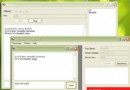
MyWindowsService.exe /client
本課程示範以 C# 開發檔案系統監視 Windows Service,包含伺服器端監視邏輯與客戶端管理介面,展現 .NET 框架快速建構強大後台服務的能力。