承接上一篇,本文深入探討 C# 預處理器指令的進階用法,包含 #define 位置限制、Visual Studio 偵錯建置自動定義符號、命令列定義符號,以及診斷指令 (#warning/#error) 與程式碼區域 (#region) 的應用。
#define 必須放在 .cs 檔案的最開頭。在 Visual Studio 中若指定 Debug Build,專案中每個檔案會自動定義 DEBUG 符號,無需顯式撰寫 #define DEBUG。也可在命令列使用 /Define 開關:
csc /Define:DEBUG myproject.cs診斷指令會發出警告或錯誤訊息,處理方式與編譯時錯誤/警告相同。#warning 允許編譯繼續,#error 則中止編譯。
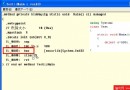
#define CLIENT
#define DEBUG
using System;
public class MyApp
{
    public static void Main()
    {
#if DEBUG && INHOUSE
#warning Debug is on.
#elif DEBUG && CLIENT
#error Debug not allowed in Client Code
#endif
        // 其餘程式碼...
    }
}
本例因定義 DEBUG 與 CLIENT,將觸發 #error 並終止編譯。
區域指令用於標記一段程式碼為可摺疊區塊,對 C# 編譯器無語法意義,但 Visual Studio 能識別並提供摺疊/展開功能,方便管理大型檔案。
#region 公開方法
// 任何 C# 陳述式
#endregion善用預處理器指令可實現條件編譯、編譯時診斷與程式碼組織,提升專案維護性與建置彈性。