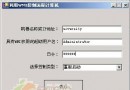
定義視窗各區域常數(邊框、標題列、系統按鈕)並使用 TextureBrush 繪製皮膚:
namespace MouseSkin
{
    private void DrawMiddle_Left(Graphics g)
    {
        using (Brush brush = new TextureBrush(Middle_Left, new Rectangle(0, 0, Middle_Left.Width, Middle_Left.Height)))
        {
            g.FillRectangle(brush, 0, TITLE_WIDTH, Middle_Left.Width, Height - Bottom_Middle.Height - TITLE_WIDTH);
        }
    }
}
定義 MouseAction 抽象類別,所有具體操作(縮放、拖曳)皆繼承此類:
public abstract class MouseAction
{
    public abstract void Action(int screenX, int screenY, Form form);
}

// 右邊框縮放範例
public class MouseSizeRight : MouseAction
{
    private int _originX;
    public MouseSizeRight(int originX) { _originX = originX; }
    public override void Action(int screenX, int screenY, Form form)
    {
        form.Width = screenX - _originX;
        form.Invalidate();
    }
}

// 視窗拖曳
public class MouseDrag : MouseAction
{
    private int _offsetX, _offsetY;
    public MouseDrag(int hitX, int hitY) { _offsetX = hitX; _offsetY = hitY; }
    public override void Action(int screenX, int screenY, Form form)
    {
        form.Location = new Point(screenX - _offsetX, screenY - _offsetY);
    }
}
在 MouseDown 中記錄點擊座標,並根據區域建立對應的 MouseAction 實例:
private int LEFT = 5, RIGHT = 5, BOTTOM = 5, TOP = 5, TITLE_WIDTH = 45;
private int x, y; // 暫存座標
private MouseAction mouse; // 當前回應物件

// MouseDown 事件
x = e.X;
y = e.Y;
// 依座標判斷區域並 new 對應 MouseAction 給 mouse 欄位
此架構將滑鼠行為封裝為獨立類別,符合開放封閉原則,易於擴展新的互動模式(如多點觸控、自訂調整手柄)。