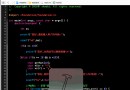
button1_Click 整合呼叫多項 Win32 API,將結果顯示於對應文字方塊/標籤:
private void button1_Click(object sender, EventArgs e)
{
    // 1. Windows 目錄與系統目錄
    const int nChars = 128;
    StringBuilder buff = new StringBuilder(nChars);
    GetWindowsDirectory(buff, nChars);
    WindowsDirectory.Text = "Windows路徑:" + buff.ToString();
    GetSystemDirectory(buff, nChars);
    SystemDirectory.Text = "系統路徑:" + buff.ToString();

    // 2. CPU 資訊 (GetSystemInfo)
    CPU_INFO cpuInfo = new CPU_INFO();
    GetSystemInfo(ref cpuInfo);
    NumberOfProcessors.Text = "本計算機中有 " + cpuInfo.dwNumberOfProcessors + " 個 CPU";
    ProcessorType.Text = "CPU 類型為 " + cpuInfo.dwProcessorType;
    ProcessorLevel.Text = "CPU 等級為 " + cpuInfo.dwProcessorLevel;
    OemId.Text = "CPU OEM ID 為 " + cpuInfo.dwOemId;
    PageSize.Text = "CPU 頁面大小為 " + cpuInfo.dwPageSize;

    // 3. 記憶體資訊 (GlobalMemoryStatus)
    MEMORY_INFO memInfo = new MEMORY_INFO();
    GlobalMemoryStatus(ref memInfo);
    MemoryLoad.Text = memInfo.dwMemoryLoad + "% 記憶體正在使用";
    TotalPhys.Text = "物理記憶體共 " + memInfo.dwTotalPhys + " 位元組";
    AvailPhys.Text = "可用物理記憶體 " + memInfo.dwAvailPhys + " 位元組";
    TotalPageFile.Text = "交換檔總大小 " + memInfo.dwTotalPageFile + " 位元組";
    AvailPageFile.Text = "可用交換檔 " + memInfo.dwAvailPageFile + " 位元組";
    TotalVirtual.Text = "總虛擬記憶體 " + memInfo.dwTotalVirtual + " 位元組";
    AvailVirtual.Text = "可用虛擬記憶體 " + memInfo.dwAvailVirtual + " 位元組";

    // 4. 系統時間 (GetSystemTime - UTC,需 +8 轉 CST)
    SYSTEMTIME_INFO stInfo = new SYSTEMTIME_INFO();
    GetSystemTime(ref stInfo);
    Date.Text = stInfo.wYear + "年" + stInfo.wMonth + "月" + stInfo.wDay + "日";
    Time.Text = (stInfo.wHour + 8) + "點" + stInfo.wMinute + "分" + stInfo.wSecond + "秒";
}
本系列示範了 C# 透過 P/Invoke 呼叫 kernel32.dll、user32.dll 等系統 DLL 實作定時關機、倒數關機、關機提醒、系統資訊查詢四大功能。關鍵技術點:
DllImport 屬性對應 DLL 匯出函式struct 對應 C 語言結構體 (如 SYSTEMTIME, MEMORYSTATUS)StringBuilder 接收字串緩衝區輸出ref 關鍵字傳遞結構體指標有興趣的讀者可進一步擴充:登錄開機自動啟動、支援休眠/睡眠模式、整合至系統匣圖示、遠端關機 (WMI/PSExec) 等,打造更完善的系統管理工具。