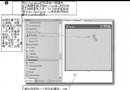
作者花費一年多 C# 學習時間打造的掃雷遊戲,著重於核心演算法 (FloodFill)、GDI+ 雙緩衝渲染優化、狀態機設計與滑鼠事件處理技巧。
點擊空白格時遞迴/疊代展開周圍安全區域,需注意堆疊溢位與重複訪問檢查:
void FloodFill(int x, int y) {
    if (x < 0 || x >= Width || y < 0 || y >= Height) return;
    if (cells[x, y].State != CellState.Initial) return;

    cells[x, y].Unseal();
    if (cells[x, y].AdjacentMines == 0) {
        for (int dx = -1; dx <= 1; dx++)
            for (int dy = -1; dy <= 1; dy++)
                if (dx != 0 || dy != 0) FloodFill(x + dx, y + dy);
    }
}
每個格子獨立管理狀態,Form 僅負責分派事件:
OnPaint 直接繪製 Icon,避免 PictureBox 載入圖片的閃爍與效能損耗。DoubleBuffered = true 雙緩衝消除閃爍。.resx) 避免外部檔案相依。C# 無直接提供「左右鍵同時按下」事件,需自行追蹤狀態:
private MouseButtons _mouseState = MouseButtons.None;

void OnMouseDown(object sender, MouseEventArgs e) {
    _mouseState |= e.Button;
    if ((_mouseState & MouseButtons.Left) != 0 && (_mouseState & MouseButtons.Right) != 0) {
        // 雙鍵同時按下邏輯:標記周圍旗幟或快速展開
    }
}

void OnMouseUp(object sender, MouseEventArgs e) {
    _mouseState &= ~e.Button;
}
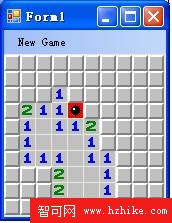
作者認為自己的結構比參考專案更清晰,關鍵在於「控制項只負責顯示,邏輯全在 Form」的職責分離。這正是 MVC/MVVM 思想在 WinForms 中的輕量級體現。