用繪製 Line 方式畫切片邊線,類繪製障礙物邊線,配合簡單事件實現自定義切片設計:
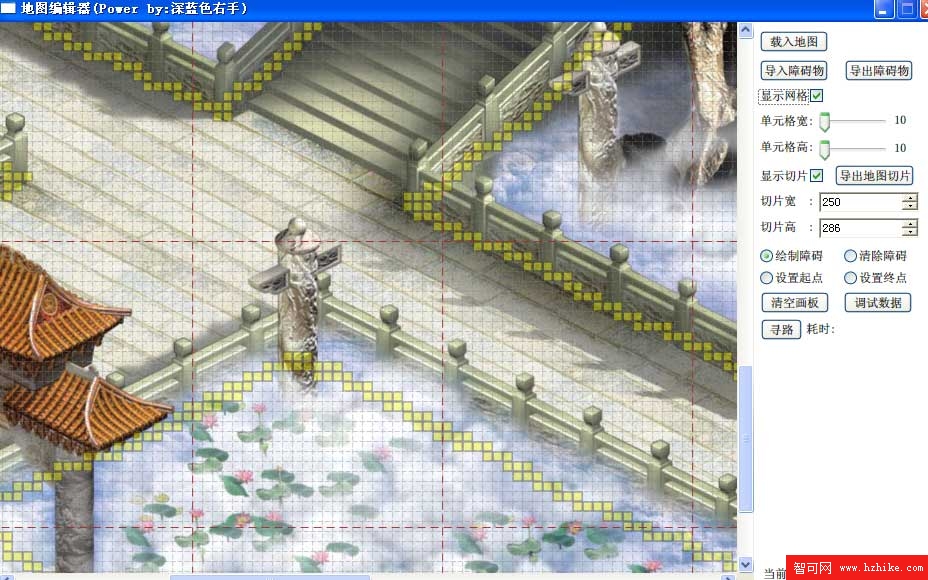
灰色虛線 10×10 障礙物單元格,棕紅虛線 250×286 切片邊線。NumericUpDown 方便定義最大/最小/有效/跨越值,ValueChanged 事件所見即所得。
用 FolderBrowserDialog 配合方法導出:
int sectionXNum = (int)(mapWidth / (double)SectionWidth.Value);
int sectionYNum = (int)(mapHeight / (double)SectionHeight.Value);
for (int x = 0; x < sectionXNum; x++)
    for (int y = 0; y < sectionYNum; y++)
    {
        CroppedBitmap croppedBitmap = new CroppedBitmap(mapSource, new Int32Rect(x * (int)SectionWidth.Value, y * (int)SectionHeight.Value, (int)SectionWidth.Value, (int)SectionHeight.Value));
        System.IO.FileStream fileStream = new System.IO.FileStream(string.Format(@"{0}/{1}_{2}.jpg", outputSection.SelectedPath, x, y), System.IO.FileMode.Create);
        JpegBitmapEncoder encoder = new JpegBitmapEncoder();
        encoder.Frames.Add(BitmapFrame.Create(croppedBitmap));
        encoder.Save(fileStream);
        fileStream.Close();
    }
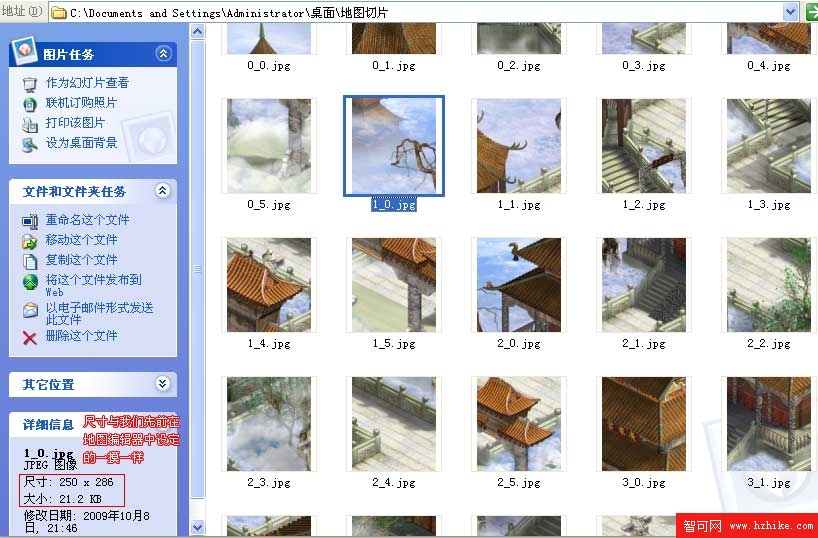
依切片數量循環導出 JPG 到指定資料夾,獲得整齊切片: