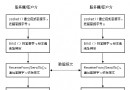
視窗 800×600 (扣除標題列 20px) → WindowCenterX=400, WindowCenterY=290。預定義兩參數供 9 區域判斷使用。
private void AllMove()
{
    if (Spirit.X <= WindowCenterX && Spirit.Y <= WindowCenterY)
    {
        for (int i = 0; i < Carrier.Children.Count; i++)
        {
            if (Carrier.Children[i] is QXSpirit sp)
            {
                Canvas.SetLeft(sp, sp.X - sp.CenterX);
                Canvas.SetTop(sp, sp.Y - sp.CenterY);
                Canvas.SetZIndex(sp, Convert.ToInt32(sp.Y)); // 畫家算法
            }
            else if (Carrier.Children[i] is Image img) // 地圖/遮罩
            {
                Canvas.SetLeft(img, 0);
                Canvas.SetTop(img, 0);
            }
        }
    }
    // ... 其他 8 區域邏輯類推
}
精靈顯示位置 = 世界座標 - 中心點偏移 (因精靈定位腳底,Canvas 定位左上角)。地圖/遮罩固定在 (0,0) 不動。其餘 8 區域 (右上、左下、右下、中上、中下、左中、右中、正中) 邏輯對稱,源碼中完整實現。