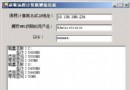
建立兩個標籤、兩個文字方塊、兩個按鈕,逐一初始化屬性並加入表單:
// 尺寸與位置
SetSize(width, height);      // 設定寬高
SetLocation(x, y);           // 設定左上角座標
// 或合併:SetBounds(x, y, width, height)

// 鍵盤導航
TabStop = false;             // 標籤不接收焦點
TabIndex = 0;                // 按 Tab 鍵順序(0-based)

// 顯示文字
Text = "°C";                 // 控件顯示內容

// 加入表單
Controls.Add(control);       // 單一加入
// 或批次:
Controls = new Control[] { txtC, lblC, txtF, lblF, btnCtoF, btnFtoC };
void btnCtoF_Click(object sender, EventArgs e) {
  double c = 0, f = 0;
  try { c = double.Parse(txtC.Text); }
  catch { txtC.Clear(); txtF.Clear(); return; }
  f = 1.8 * c + 32;
  txtF.Text = f.ToString();
  // 焦點與選取重置
  txtF.Focus(); txtF.SelectionStart = 0; txtF.SelectionLength = 0;
  txtC.Focus(); txtC.SelectionStart = 0; txtC.SelectionLength = 0;
}
void btnFtoC_Click(object sender, EventArgs e) {
  double c = 0, f = 0;
  try { f = double.Parse(txtF.Text); }
  catch { txtC.Clear(); txtF.Clear(); return; }
  c = (f - 32) / 1.8;
  txtC.Text = c.ToString();
  txtC.Focus(); txtC.SelectionStart = 0; txtC.SelectionLength = 0;
  txtF.Focus(); txtF.SelectionStart = 0; txtF.SelectionLength = 0;
}
邏輯對稱,僅來源/目標欄位互換。
btnCtoF.Click += new EventHandler(btnCtoF_Click);
btnFtoC.Click += new EventHandler(btnFtoC_Click);
使用 EventHandler 委派將方法掛載至 Click 事件,完成「控件→事件→處理函式」連結。