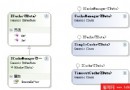
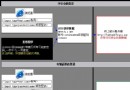
KeyDown、KeyUp:委派 KeyEventHandler,事件引數 KeyEventArgsKeyPress:委派 KeyPressEventHandler,事件引數 KeyPressEventArgs皆位於 System.Windows.Forms 命名空間。
// KeyDown / KeyUp
button1.KeyUp += new KeyEventHandler(button1_KUp);

private void button1_KUp(object sender, KeyEventArgs e)
{
    // 處理邏輯
}

// KeyPress
button1.KeyPress += new KeyPressEventHandler(button1_KPress);

private void button1_KPress(object sender, KeyPressEventArgs e)
{
    // 處理邏輯
}KeyEventArgs.KeyCode 屬性可取得實體鍵碼。於 KeyUp 或 KeyDown 處理。
using System;
using System.Drawing;
using System.Collections;
using System.ComponentModel;
using System.Windows.Forms;
using System.Data;

public class Form1 : Form
{
    private Container components = null;

    public Form1()
    {
        InitializeComponent();
    }

    protected override void Dispose(bool disposing)
    {
        if (disposing && components != null) components.Dispose();
        base.Dispose(disposing);
    }

    private void InitializeComponent()
    {
        AutoScaleBaseSize = new Size(6, 14);
        ClientSize = new Size(292, 273);
        Name = "Form1";
        Text = "C# 處理鍵盤事件!";
        KeyUp += new KeyEventHandler(Form1_KeyUp);
    }

    static void Main() { Application.Run(new Form1()); }

    private void Form1_KeyUp(object sender, KeyEventArgs e)
    {
        MessageBox.Show(e.KeyCode.ToString(), "您所按下的鍵為:");
    }
}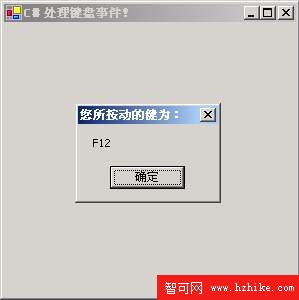
圖02:用 C# 讀取鍵盤按鍵的程式執行介面
本文介紹 C# 定義滑鼠/鍵盤事件與典型處理方式。雖屬基礎,但實務上最常用,掌握後可舉一反三解決更多問題。