使用 PerformanceCounter 元件搭配 ProgressBar 與 Label,透過 Timer 定期輪詢顯示 CPU 處理器時間百分比。
透過 Environment.ProcessorCount 取得核心數,動態建立多組效能計數器與顯示控制項,各自監控單一核心。
可整合第三方圖表控制項(如 Dundas Gauge),實現儀表板式顯示。
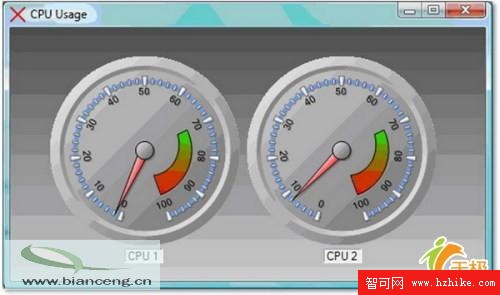
CategoryName = "Processor"CounterName = "% Processor Time"InstanceName = "_Total"(總體)或 "0"/"1"(特定核心)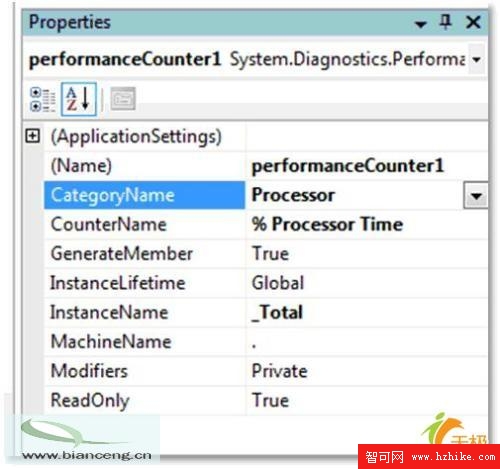
using System;
using System.Windows.Forms;

namespace CpuUsageTest
{
    public partial class frmCpuUsage : Form
    {
        public frmCpuUsage()
        {
            InitializeComponent();
        }

        private void timer1_Tick(object sender, EventArgs e)
        {
            // 取得下一個計數值(0-100)
            float cpuValue = performanceCounter1.NextValue();

            progressBar1.Value = (int)cpuValue;
            label1.Text = $"Processor Time: {progressBar1.Value}%";
        }
    }
}NextValue() 回傳浮點數,需轉整數指派給 ProgressBarNextValue() 可能回傳 0,屬正常行為MachineName 屬性)