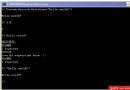
利用 Windows `shutdown` 指令實作定時關機/取消關機小工具,示範 `atoi`、`sprintf`、`system` 等函數用法。
#include
#include
#include
#include
#include

int isNumber(char *s) {
    for (int i = 0; s[i]; i++)
        if (!isdigit(s[i])) return 0;
    return 1;
}

void showTime(int seconds) {
    time_t raw = time(NULL);
    if (seconds > 0) raw += seconds;
    struct tm *tm = localtime(&raw);
    char buf[100];
    if (seconds > 0)
        sprintf(buf, "將在 %d-%02d-%02d %02d:%02d:%02d 關機...",
                tm->tm_year+1900, tm->tm_mon+1, tm->tm_mday,
                tm->tm_hour, tm->tm_min, tm->tm_sec);
    else
        sprintf(buf, "現在時間:%d-%02d-%02d %02d:%02d:%02d",
                tm->tm_year+1900, tm->tm_mon+1, tm->tm_mday,
                tm->tm_hour, tm->tm_min, tm->tm_sec);
    puts(buf);
}

int main() {
    puts("歡迎進入定時關機系統!");
    showTime(0);
    char str[3];
    while (1) {
        puts("輸入 A 定時關機,輸入 C 取消定時關機:");
        gets(str);  /* 注意:gets 不安全,教學用 */
        if (strcmp(str, "A") == 0 || strcmp(str, "a") == 0) {
            char secStr[12];
            while (1) {
                puts("請輸入秒數:");
                gets(secStr);
                if (isNumber(secStr)) break;
                puts("輸入無效,請重新輸入!");
            }
            int sec = atoi(secStr);
            showTime(sec);
            char cmd[64];
            sprintf(cmd, "shutdown -s -t %s", secStr);
            system(cmd);
            system("pause");
            break;
        } else if (strcmp(str, "C") == 0 || strcmp(str, "c") == 0) {
            system("shutdown -a");
            puts("已取消定時關機");
            system("pause");
            break;
        } else {
            puts("輸入錯誤,請重新輸入!");
        }
    }
    return 0;
}