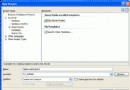
利用 System.Windows.Forms.Design.FolderNameEditor 內建的 FolderBrowser 類別,封裝功能更豐富的選擇目錄元件:
using System;
using System.Windows.Forms;
using System.Windows.Forms.Design;

public class FolderDialog : IDisposable
{
    private readonly FolderNameEditor.FolderBrowser _browser;

    public FolderDialog()
    {
        _browser = new FolderNameEditor.FolderBrowser();
        _browser.Style = FolderBrowserStyles.BrowseForEverything | FolderBrowserStyles.ShowTextBox;
        _browser.StartLocation = FolderBrowserFolder.MyComputer;
    }

    public DialogResult ShowDialog(string description = "請選擇資料夾")
    {
        _browser.Description = description;
        return _browser.ShowDialog();
    }

    public string SelectedPath => _browser.DirectoryPath;

    public void Dispose() => _browser.Dispose();
}
public string GetSelectedFolder()
{
    using (var dlg = new FolderDialog())
    {
        return dlg.ShowDialog() == DialogResult.OK ? dlg.SelectedPath : string.Empty;
    }
}
※ 需參考 System.Design.dll 組件。
public void GetFilesRecursive(string rootPath, string pattern, List<string> result)
{
    var dir = new DirectoryInfo(rootPath);
    try
    {
        // 取得符合模式的檔案
        foreach (var file in dir.GetFiles(pattern))
        {
            if ((file.Attributes & FileAttributes.Hidden) == 0)
                result.Add(file.FullName);
        }

        // 遞迴子目錄
        foreach (var subDir in dir.GetDirectories())
        {
            if ((subDir.Attributes & FileAttributes.Hidden) == 0)
                GetFilesRecursive(subDir.FullName, pattern, result);
        }
    }
    catch (UnauthorizedAccessException) { /* 忽略無權限目錄 */ }
}
var files = new List<string>();
GetFilesRecursive(@"D:\Projects", "*.cs", files);
// files 即包含所有 .cs 檔案完整路徑