Windows 登錄表 是系統與應用程式設定的核心儲存庫。C# 透過 Microsoft.Win32.Registry 類別提供完整的登錄表操作功能。本文系統整理登錄表項目與值的建立、讀取、修改、刪除、存在性判斷等核心操作,並說明權限、安全性與最佳實踐。
using Microsoft.Win32;

// 根鍵存取點
Registry.ClassesRoot      // HKEY_CLASSES_ROOT
Registry.CurrentUser      // HKEY_CURRENT_USER
Registry.LocalMachine     // HKEY_LOCAL_MACHINE (需管理員權限)
Registry.Users            // HKEY_USERS
Registry.CurrentConfig    // HKEY_CURRENT_CONFIG
// 開啟現有項目 (唯讀)
RegistryKey key = Registry.LocalMachine.OpenSubKey(@"SOFTWARE\MyApp");

// 開啟現有項目 (可寫入)
RegistryKey key = Registry.LocalMachine.OpenSubKey(@"SOFTWARE\MyApp", true);

// 建立新項目 (不存在則建立,存在則開啟)
RegistryKey key = Registry.LocalMachine.CreateSubKey(@"SOFTWARE\MyApp");

// 建立指定權限的項目 (NET 4.6+)
RegistryKey key = Registry.LocalMachine.CreateSubKey(
    @"SOFTWARE\MyApp",
    RegistryKeyPermissionCheck.ReadWriteSubTree,
    new RegistrySecurity());
// 刪除空項目
Registry.LocalMachine.DeleteSubKey(@"SOFTWARE\MyApp");

// 刪除項目及所有子項目 (遞迴)
Registry.LocalMachine.DeleteSubKeyTree(@"SOFTWARE\MyApp");

// 安全刪除:檢查存在後再刪除
if (Registry.LocalMachine.OpenSubKey(@"SOFTWARE\MyApp") != null)
{
    Registry.LocalMachine.DeleteSubKeyTree(@"SOFTWARE\MyApp");
}
using (RegistryKey key = Registry.LocalMachine.OpenSubKey(@"SOFTWARE"))
{
    if (key != null)
    {
        string[] subKeys = key.GetSubKeyNames();
        foreach (string subKey in subKeys)
        {
            Console.WriteLine(subKey);
        }
    }
}
using (RegistryKey key = Registry.LocalMachine.CreateSubKey(@"SOFTWARE\MyApp"))
{
    // 字串值 (預設)
    key.SetValue("InstallPath", @"C:\Program Files\MyApp");

    // DWORD (32位整數)
    key.SetValue("Version", 20231201, RegistryValueKind.DWord);

    // QWORD (64位整數)
    key.SetValue("LastUpdate", 17034858000000000, RegistryValueKind.QWord);

    // 二進位資料
    key.SetValue("LicenseKey", new byte[] { 0x01, 0x02, 0x03 }, RegistryValueKind.Binary);

    // 多字串值
    key.SetValue("SupportedFormats", new string[] { "json", "xml", "csv" }, RegistryValueKind.MultiString);

    // 可展開字串 (包含環境變數)
    key.SetValue("DataPath", "%APPDATA%\MyApp", RegistryValueKind.ExpandString);

    // 預設值 (空名稱)
    key.SetValue("", "MyApp Default Value");
}
using (RegistryKey key = Registry.LocalMachine.OpenSubKey(@"SOFTWARE\MyApp"))
{
    if (key != null)
    {
        // 讀取字串
        string path = key.GetValue("InstallPath")?.ToString();

        // 讀取整數 (預設值 0)
        int version = (int)key.GetValue("Version", 0);

        // 讀取二進位
        byte[] license = key.GetValue("LicenseKey") as byte[];

        // 讀取多字串
        string[] formats = key.GetValue("SupportedFormats") as string[];

        // 讀取預設值
        string defaultVal = key.GetValue("")?.ToString();
    }
}
using (RegistryKey key = Registry.LocalMachine.OpenSubKey(@"SOFTWARE\MyApp", true))
{
    if (key != null)
    {
        key.DeleteValue("ObsoleteValue", false); // false: 不存在不拋例外

        // 注意:預設值 (空名稱) 無法刪除,只能設為空字串
        key.SetValue("", "");
    }
}
using (RegistryKey key = Registry.LocalMachine.OpenSubKey(@"SOFTWARE\MyApp"))
{
    if (key != null)
    {
        foreach (string valueName in key.GetValueNames())
        {
            object value = key.GetValue(valueName);
            RegistryValueKind kind = key.GetValueKind(valueName);
            Console.WriteLine($"{valueName} ({kind}) = {value}");
        }
    }
}
public bool IsKeyExist(RegistryKey root, string subKeyPath)
{
    using (RegistryKey key = root.OpenSubKey(subKeyPath))
    {
        return key != null;
    }
}

// 使用方式
bool exists = IsKeyExist(Registry.LocalMachine, @"SOFTWARE\MyApp");
public bool IsValueExist(RegistryKey root, string subKeyPath, string valueName)
{
    using (RegistryKey key = root.OpenSubKey(subKeyPath))
    {
        if (key == null) return false;
        return key.GetValue(valueName) != null;
    }
}

// 使用方式
bool exists = IsValueExist(Registry.LocalMachine, @"SOFTWARE\MyApp", "Version");
using Microsoft.Win32;
using System;
using System.Security.AccessControl;

public static class RegistryHelper
{
    ///
    /// 安全讀取字串值
    ///
    public static string GetString(RegistryKey root, string path, string name, string defaultValue = "")
    {
        try
        {
            using (RegistryKey key = root.OpenSubKey(path))
            {
                return key?.GetValue(name)?.ToString() ?? defaultValue;
            }
        }
        catch
        {
            return defaultValue;
        }
    }

    ///
    /// 安全讀取整數值
    ///
    public static int GetInt(RegistryKey root, string path, string name, int defaultValue = 0)
    {
        try
        {
            using (RegistryKey key = root.OpenSubKey(path))
            {
                return (int?)key?.GetValue(name) ?? defaultValue;
            }
        }
        catch
        {
            return defaultValue;
        }
    }

    ///
    /// 安全寫入值
    ///
    public static bool SetValue(RegistryKey root, string path, string name, object value, RegistryValueKind kind = RegistryValueKind.String)
    {
        try
        {
            using (RegistryKey key = root.CreateSubKey(path))
            {
                key.SetValue(name, value, kind);
                return true;
            }
        }
        catch
        {
            return false;
        }
    }

    ///
    /// 安全刪除值
    ///
    public static bool DeleteValue(RegistryKey root, string path, string name)
    {
        try
        {
            using (RegistryKey key = root.OpenSubKey(path, true))
            {
                if (key?.GetValue(name) != null)
                {
                    key.DeleteValue(name);
                    return true;
                }
                return false;
            }
        }
        catch
        {
            return false;
        }
    }

    ///
    /// 檢查項目存在
    ///
    public static bool KeyExists(RegistryKey root, string path)
    {
        using (RegistryKey key = root.OpenSubKey(path))
            return key != null;
    }

    ///
    /// 取得所有子項目名稱
    ///
    public static string[] GetSubKeyNames(RegistryKey root, string path)
    {
        using (RegistryKey key = root.OpenSubKey(path))
            return key?.GetSubKeyNames() ?? Array.Empty();
    }
} | 根鍵 | 讀取權限 | 寫入權限 | 備註 |
|---|---|---|---|
| CurrentUser | 一般使用者 | 一般使用者 | 推薦儲存使用者設定 |
| LocalMachine | 一般使用者 | 管理員 | 需 UAC 提權,儲存系統級設定 |
| ClassesRoot | 一般使用者 | 管理員 | 檔案關聯、COM 元件 |
// App.manifest 中設定 requireAdministrator
using System.Security.AccessControl;

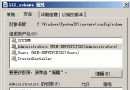
RegistrySecurity security = new RegistrySecurity();
// 允許 Users 群組讀取
security.AddAccessRule(new RegistryAccessRule(
    "Users", RegistryRights.ReadKey, AccessControlType.Allow));
// 允許 Administrators 完全控制
security.AddAccessRule(new RegistryAccessRule(
    "Administrators", RegistryRights.FullControl, AccessControlType.Allow));

using (RegistryKey key = Registry.LocalMachine.CreateSubKey(
    @"SOFTWARE\MyApp",
    RegistryKeyPermissionCheck.ReadWriteSubTree,
    security))
{
    // 項目建立時套用 ACL
}
public class AppSettings
{
    private const string RegPath = @"SOFTWARE\MyCompany\MyApp";

    public string LastOpenFolder
    {
        get => RegistryHelper.GetString(Registry.CurrentUser, RegPath, "LastOpenFolder");
        set => RegistryHelper.SetValue(Registry.CurrentUser, RegPath, "LastOpenFolder", value);
    }

    public int WindowWidth
    {
        get => RegistryHelper.GetInt(Registry.CurrentUser, RegPath, "WindowWidth", 800);
        set => RegistryHelper.SetValue(Registry.CurrentUser, RegPath, "WindowWidth", value);
    }
}
public void RegisterFileAssociation(string extension, string progId, string description, string exePath)
{
    using (RegistryKey key = Registry.ClassesRoot.CreateSubKey(extension))
    {
        key.SetValue("", progId);
    }

    using (RegistryKey key = Registry.ClassesRoot.CreateSubKey($"{progId}\\shell\\open\\command"))
    {
        key.SetValue("", $"\"{exePath}\" \"%1\"");
    }

    using (RegistryKey key = Registry.ClassesRoot.CreateSubKey(progId))
    {
        key.SetValue("", description);
    }
}
public void SetAutoStart(bool enable, string appName, string exePath)
{
    using (RegistryKey key = Registry.CurrentUser.OpenSubKey(
        @"SOFTWARE\Microsoft\Windows\CurrentVersion\Run", true))
    {
        if (enable)
            key.SetValue(appName, exePath);
        else
            key.DeleteValue(appName, false);
    }
}Microsoft.Win32.Registry 僅在 Windows 上可用#if NETFRAMEWORK || WINDOWSMicrosoft.Win32.Registry 提供相容性登錄表操作核心在於:選擇正確根鍵、使用 using 確保資源釋放、處理權限例外、區分項目與值操作。實務上建議封裝 RegistryHelper 統一錯誤處理與預設值邏輯。儲存使用者設定優先使用 CurrentUser 避免權限問題,系統級設定才使用 LocalMachine 並處理 UAC。跨平台專案應抽象化設定儲存介面,Windows 實作用登錄表,其他平台用檔案儲存。