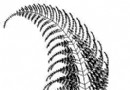
程式啟動後在螢幕上方產生多個不規則視窗(雪花圖示),像雪花般輕盈飄落至螢幕底部消失,並自動補充維持一定數量。系統托盤區有圖示可退出程式。示範不規則視窗(透過圖片輪廓裁切)與 NotifyIcon 使用。
public class BitmapRegion {
    public static void CreateControlRegion(Control control, Bitmap bitmap) {
        if (control == null || bitmap == null) return;
        control.Width = bitmap.Width;
        control.Height = bitmap.Height;

        if (control is Form form) {
            form.Width += 15; form.Height += 35; // 避免邊框顯示
            form.FormBorderStyle = FormBorderStyle.None;
            form.BackgroundImage = bitmap;
            form.Region = new Region(CalculateGraphicsPath(bitmap));
        } else if (control is Button btn) {
            btn.Text = ""; btn.Cursor = Cursors.Hand;
            btn.BackgroundImage = bitmap;
            btn.Region = new Region(CalculateGraphicsPath(bitmap));
        }
    }

    private static GraphicsPath CalculateGraphicsPath(Bitmap bitmap) {
        GraphicsPath path = new GraphicsPath();
        Color transparent = bitmap.GetPixel(0, 0); // 以左上角顏色為透明色
        for (int y = 0; y < bitmap.Height; y++) {
            int x = 0;
            while (x < bitmap.Width) {
                // 略過透明像素
                while (x < bitmap.Width && bitmap.GetPixel(x, y) == transparent) x++;
                int startX = x;
                // 尋找連續不透明區段
                while (x < bitmap.Width && bitmap.GetPixel(x, y) != transparent) x++;
                if (startX < x)
                    path.AddRectangle(new Rectangle(startX, y, x - startX, 1));
            }
        }
        return path;
    }
}public partial class GoldForm : Form {
int _x, _y, _screenH, _screenW, _counter, _increment, _interval;
Bitmap _flake = Properties.Resources.snow; // 嵌入資源圖片
public GoldForm(int interval, int startX) {
_interval = interval + 10; _x = startX;
InitializeComponent();
BitmapRegion.CreateControlRegion(this, _flake);
}
void GoldForm_Load(object sender, EventArgs e) {
Rectangle wa = Screen.PrimaryScreen.WorkingArea;
_screenH = wa.Height; _screenW = wa.Width;
timerMove.Interval = _interval;
this.Left = _x; this.Top = 0;
timerMove.Start();
}
void timerMove_Tick(object sender, EventArgs e) {
timerMove.Stop();
_y += 5; _counter++;
Random r = new Random();
if (_counter == 15) {
_increment = (r.Next(10) - 5) > 0 ? 1 : -1; // 隨機左右飄移
_counter = 0;
}
_x += _increment;
if (_y > _screenH) { // 飄出螢幕底部 → 重置頂部隨機 X
_y = 0; _x = r.Next(_screenW);
_interval = r.Next(50, 100);
}
this.Location = new Point(_x, _y);
timerMove.Interval = _interval;
timerMove.Start();
}
}static class Program {
[STAThread]
static void Main() {
Application.EnableVisualStyles();
Application.SetCompatibleTextRenderingDefault(false);
// 啟動多個 GoldForm,間隔與初始 X 隨機
for (int i = 0; i < 20; i++) {
int interval = new Random().Next(50, 100);
int startX = new Random().Next(Screen.PrimaryScreen.WorkingArea.Width);
new GoldForm(interval, startX).Show();
Thread.Sleep(10); // 錯開建立時間
}
Application.Run(new TrayIconContext()); // 托盤圖示類別,提供退出功能
}
}CSDN 下載連結(含專案檔、雪花圖片資源、托盤圖示類別)。
GraphicsPath,指派給 Form.Region 實現透明背景與非矩形視窗。Form、獨立 Timer,簡單有效。