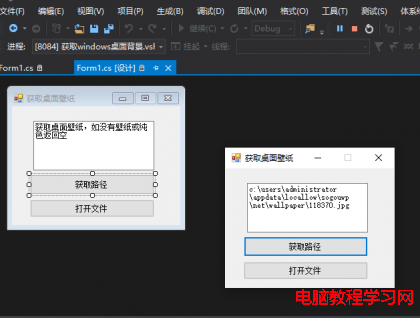
HtmlPage.Document.AttachEvent("oncontextmenu", Game_MouseRightButtonDown);
private void Game_MouseRightButtonDown(object sender, HtmlEventArgs e) {
    e.PreventDefault(); // 取消右鍵選單
    // 邏輯部分
}
需配合 <param name="Windowless" value="true" />。非官方方案,代價:① 整體效能下降;② 無法使用輸入法;③ 瀏覽器相容性問題(Chrome 無法取消右鍵選單)。謹慎評估是否使用。
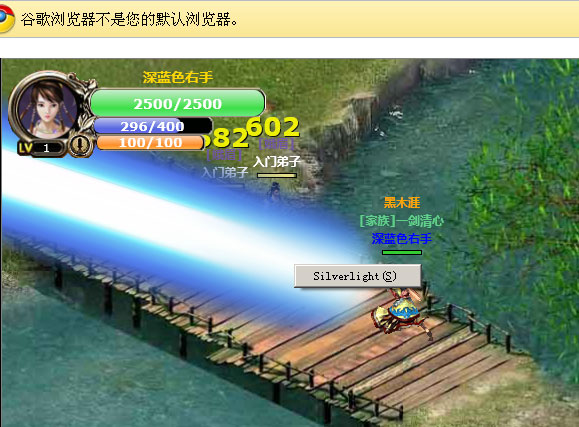
移除原有 x,y,z 關聯屬性,改用單一 Point 型別 Coordinate:
public Point Coordinate {
    get { return (Point)GetValue(CoordinateProperty); }
    set { SetValue(CoordinateProperty, value); }
}
public static readonly DependencyProperty CoordinateProperty = DependencyProperty.Register(
    "Coordinate", typeof(Point), typeof(QXSprite),
    new PropertyMetadata(ChangeCoordinateProperty)
);
private static void ChangeCoordinateProperty(DependencyObject d, DependencyPropertyChangedEventArgs e) {
    QXSprite obj = (QXSprite)d;
    if (obj.Visibility == Visibility.Visible) {
        Point p = (Point)e.NewValue;
        obj.SetValue(Canvas.LeftProperty, p.X - obj.CenterX);
        obj.SetValue(Canvas.TopProperty, p.Y - obj.CenterY);
        obj.SetValue(Canvas.ZIndexProperty, Convert.ToInt32(p.Y));
    }
}
優點:將 DoubleAnimation 改為 PointAnimation,代碼結構與效能大幅優化。修改座標只需 Coordinate = new Point(x,y),系統自動觸發回呼更新 Left/Top/ZIndex。
保留介面,依參數啟動不同效率/路徑/精度的 A*。推薦兩種方案:
PathFinderFast 配合參數,路徑非最短但效能極佳。PathFinderFast pathFinderFast = new PathFinderFast(varyObstruction) {
HeavyDiagonals = false,
HeuristicEstimate = 100
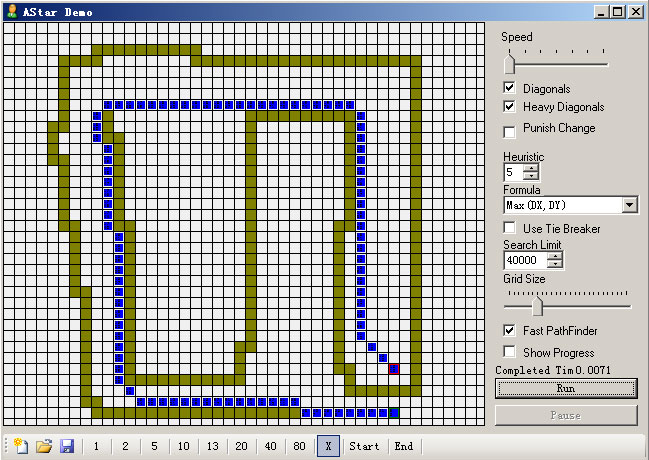
};封裝的 A* DLL 可作調試器,測試不同參數組合並記錄配置。例如測得 0.0071 秒找到路徑,滿意則記下參數:
PathFinderFast pathFinderFast = new PathFinderFast(varyObstruction) {
    Diagonals = true,
    HeavyDiagonals = true,
    HeuristicEstimate = 5,
    Formula = HeuristicFormula.MaxDXDY,
    TieBreaker = false,
    SearchLimit = 40000
};
無需額外判斷或 Clear 容器,按 0~8 順序重新賦值 Source:
private void ChangeMapSection() {
    countSection = 0;
    for (int x = startSectionX; x <= endSectionX; x++) {
        for (int y = startSectionY; y <= endSectionY; y++) {
            mapSection[countSection].Source = Super.GetImage(string.Format("/Image/Map/{0}/Surface/{1}_{2}.jpg", mapCode, x, y));
            Canvas.SetLeft(mapSection[countSection], x * mapSectionWidth);
            Canvas.SetTop(mapSection[countSection], y * mapSectionHeight);
            countSection++;
        }
    }
}將主角與所有物件放入同一 Canvas,配合 Coordinate 關聯屬性回呼,省去遍歷所有物件位置的迴圈,邏輯效能大幅提升。
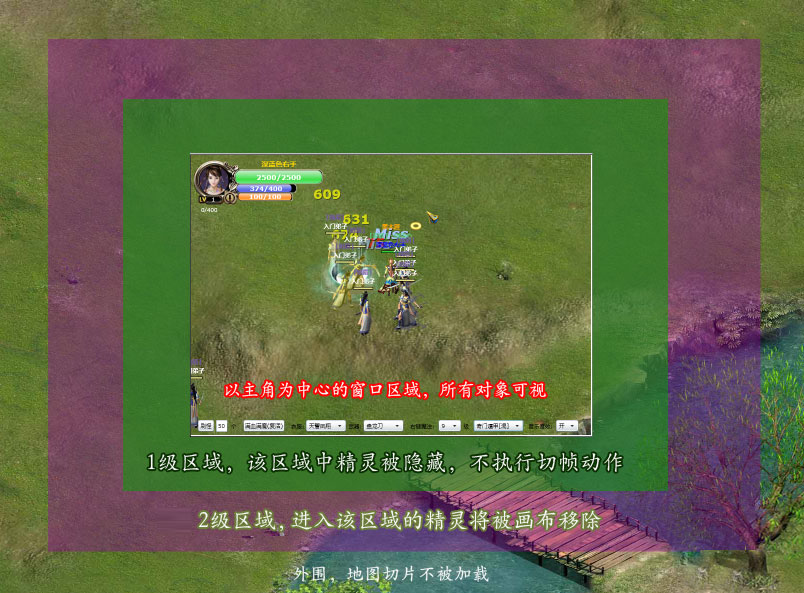
輔助計時器(0.5s)判斷精靈是否超出主角可視範圍,隱藏並停止其 Timer:
if ((Math.Abs(sprite.Coordinate.X - Leader.Coordinate.X) > this.ActualWidth / 2) ||
    (Math.Abs(sprite.Coordinate.Y - Leader.Coordinate.Y) > this.ActualHeight / 2)) {
    sprite.Visibility = Visibility.Collapsed;
    sprite.Timer.Stop();
} else {
    if (!sprite.Timer.IsEnabled) {
        sprite.Visibility = Visibility.Visible;
        sprite.Timer.Start();
    }
}
網絡版可擴充二級範圍:一級隱藏,二級移除並釋放資源。
兩個位元組陣列:fixedObstruction(固定地形、傳送點)、varyObstruction(動態,依精靈位置填充)。移動前移除精靈腳底障礙,尋路後恢復:
SetSpriteObstruction(sprite, 1);
AStarMove(sprite, GetSpriteEdge(enemy));
sprite.UseAStarMove = true;
SetSpriteObstruction(sprite, 0);
SetSpriteObstruction 依 HoldWidth/HoldHeight 標記區域。