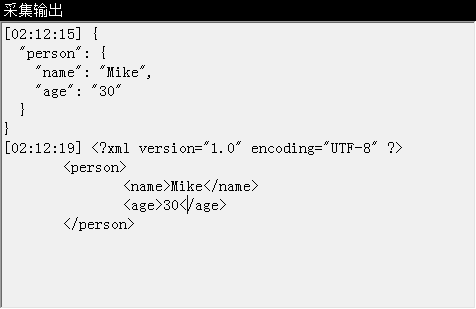
需在 WinForm 應用程式中啟動主控台程式(如 ipconfig、ping、Oracle exp 等),並即時將其標準輸出顯示於介面上。本文提供完整範例,使用 Process.StartInfo.RedirectStandardOutput 捕獲輸出流,搭配委派跨執行緒更新 UI。
Process,設定 RedirectStandardOutput = true、UseShellExecute = false、CreateNoWindow = true。StandardOutput 串流(StreamReader)。Invoke 更新 UI 控制項(如 TextBox)。WaitForExit() 等待結束。using System;
using System.Diagnostics;
using System.IO;
using System.Windows.Forms;
namespace WindowsApplication8
{
public partial class Form1 : Form
{
public Form1() { InitializeComponent(); }
// 委派定義:用於跨執行緒更新 UI
delegate void DReadLine(string line);
private void ExecuteCommand(string fileName, string args, DReadLine onReadLine)
{
var p = new Process
{
StartInfo = new ProcessStartInfo
{
FileName = fileName,
Arguments = args,
WindowStyle = ProcessWindowStyle.Hidden,
RedirectStandardOutput = true,
UseShellExecute = false,
CreateNoWindow = true
}
};
p.Start();
using (StreamReader reader = p.StandardOutput)
{
string line;
while ((line = reader.ReadLine()) != null)
{
onReadLine(line); // 透過委派更新 UI
}
}
p.WaitForExit();
}
private void btnRun_Click(object sender, EventArgs e)
{
ExecuteCommand("ipconfig", "", PrintMessage);
}
private void PrintMessage(string line)
{
if (textBox1.InvokeRequired)
textBox1.Invoke(new DReadLine(PrintMessage), line);
else
textBox1.AppendText(line + Environment.NewLine);
}
}
}| 設定 | 用途 |
|---|---|
UseShellExecute = false | 必須為 false 才能重導向輸出 |
CreateNoWindow = true | 不顯示黑色主控台視窗 |
RedirectStandardOutput | 啟用標準輸出重導向 |
StreamReader.ReadLine() | 逐行讀取,適合即時顯示 |
InvokeRequired/Invoke | 確保 UI 更新在主執行緒進行 |
RedirectStandardError = true,讀取 p.StandardError。p.OutputDataReceived 事件搭配 p.BeginOutputReadLine(),避免阻塞 UI 執行緒。RedirectStandardInput = true,寫入 p.StandardInput。StandardOutput.CurrentEncoding 或使用 Encoding.GetEncoding(950)(繁體中文 Big5)。UseShellExecute = false → 重導向失效。ReadLine() 迴圈阻塞 UI → 改用非同步事件或 `Task.Run` 包裝。TextBox 卡頓 → 定期清理或使用虛擬化列表。