從 Word 文件表格提取特定儲存格資料是文件自動化常見需求。本文使用 Microsoft.Office.Interop.Word 組件,示範開啟文件、定位表格、讀取儲存格內容的完整流程。
Microsoft.Office.Interop.Wordusing Microsoft.Office.Interop.Word;
using System.Reflection;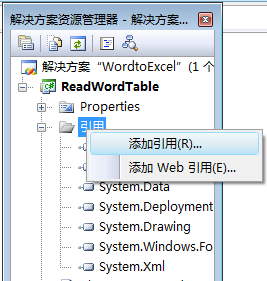
加入 Word Interop 參考
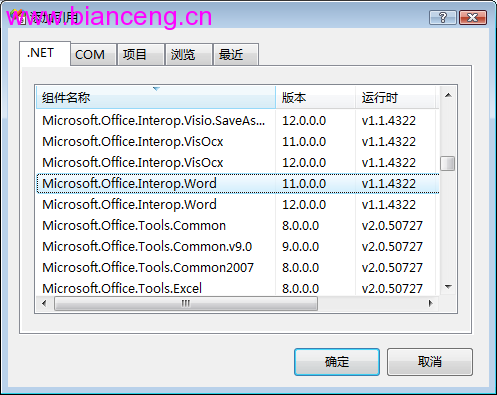
參考管理器介面
private void btnReadCell_Click(object sender, EventArgs e) {
    ApplicationClass app = null;
    Document doc = null;
    Table table = null;
    object missing = Missing.Value;

    try {
        // 開啟文件
        object path = txtFilePath.Text;
        app = new ApplicationClass();
        doc = app.Documents.Open(ref path, ref missing, ref missing, ref missing,
            ref missing, ref missing, ref missing, ref missing,
            ref missing, ref missing, ref missing, ref missing,
            ref missing, ref missing, ref missing, ref missing);

        // 取得第一個表格,讀取第 2 列第 1 欄
        table = doc.Tables[1];
        int rowIndex = 2, colIndex = 1;
        string text = table.Cell(rowIndex, colIndex).Range.Text;

        // 移除結尾控制字元 (\r\a 或 \r\0x07)
        if (text.Length >= 2) text = text.Substring(0, text.Length - 2);

        txtResult.Text = text;
        MessageBox.Show("讀取成功!");
    }
    catch (Exception ex) {
        MessageBox.Show($"錯誤:{ex.Message}");
    }
    finally {
        // 必須正確釋放 COM 物件
        if (doc != null) doc.Close(ref missing, ref missing, ref missing);
        if (app != null) app.Quit(ref missing, ref missing, ref missing);

        // 強制釋放 RCW
        if (table != null) Marshal.ReleaseComObject(table);
        if (doc != null) Marshal.ReleaseComObject(doc);
        if (app != null) Marshal.ReleaseComObject(app);
        GC.Collect();
        GC.WaitForPendingFinalizers();
    }
}table.Cell(row, col),非 0 基底Marshal.ReleaseComObject 避免 Word 進程殘留Open 參數皆為 ref object,需用 Missing.Valuefor (int r = 1; r <= table.Rows.Count; r++) {
for (int c = 1; c <= table.Columns.Count; c++) {
string cellText = table.Cell(r, c).Range.Text.TrimEnd('\r', '\a', '\0');
// 處理 cellText...
}
}| 方案 | 優點 | 缺點 |
|---|---|---|
| Word Interop | 完整相容複雜排版 | 需安裝 Office、效能較慢、COM 部署複雜 |
| Open XML SDK | 無需 Office、高效能、伺服器端適用 | 需解析 XML 結構、複雜排版支援有限 |
| 第三方庫 | API 友善、跨平台 | 授權成本、相容性風險 |
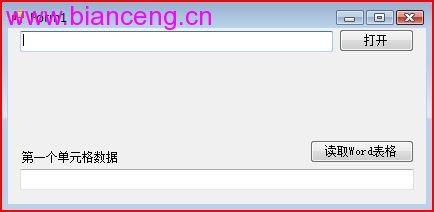
程式介面:開啟文件並顯示路徑
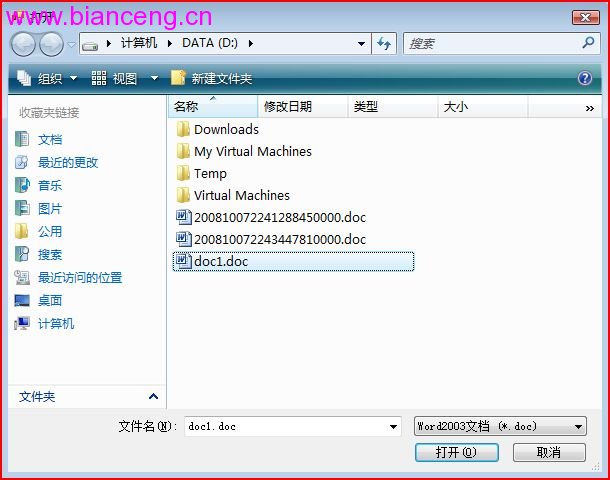
開啟 doc1.doc 文件
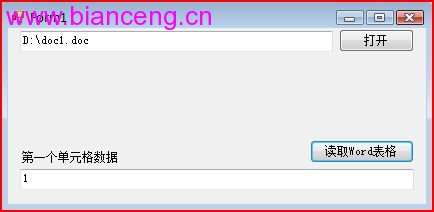
讀取第 2 列第 1 欄資料顯示於文字方塊