軟體部署後的版本更新一直是桌面應用開發的痛點。本文介紹一個輕量級、配置驅動的自動更新元件,支援多備援下載網址、斷點續傳邏輯與更新後自動啟動主程式。
核心流程:
autoupdate.config 取得更新伺服器清單遠端URL$本地檔名)cmd.exe 或主程式路徑)autoupdate.config:
url=https://server1/update.xml$https://server2/update.xml$https://backup/update.xml
cmd=MyApp.exe
更新清單回應格式(每行一筆):
https://server/files/v2.1/core.dll$core.dll
https://server/files/v2.1/ui.resources$resources/ui.resources
https://server/files/v2.1/patch.sql$scripts/patch.sqlstring[] urls = configUrl.Split('$');
foreach (string url in urls) {
try {
string response = DownloadString(url);
if (!string.IsNullOrEmpty(response)) {
ParseAndDownloadFiles(response);
return true;
}
} catch (Exception ex) {
LogError($"URL {url} 失敗: {ex.Message}");
continue; // 嘗試下一個
}
}
return false;foreach (string line in fileList) {
string[] parts = line.Split('$');
string remoteUrl = parts[0];
string localPath = Path.Combine(AppDomain.CurrentDomain.BaseDirectory, parts[1]);
Directory.CreateDirectory(Path.GetDirectoryName(localPath));
using (WebClient wc = new WebClient()) {
wc.DownloadFile(remoteUrl, localPath);
}
}更新過程若發生例外,自動寫入 autoupdate.error 記錄錯誤詳情,方便診斷:
catch (Exception ex) {
    File.WriteAllText("autoupdate.error",
        $"{DateTime.Now}: {ex.Message}\n{ex.StackTrace}");
    throw;
}AutoUpdater.exe) 與主程式放在同一目錄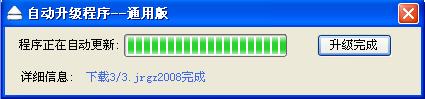
自動更新程式執行介面
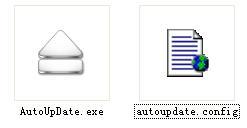
解壓後檔案結構:AutoUpdater.exe、autoupdate.config