在自動化測試、爬蟲或桌面應用整合場景中,常需從已運行的 Internet Explorer 實例獲取當前頁面的 HTML 內容。本文示範如何使用 SHDocVw 與 mshtml 兩個 COM 組件實現此功能。
SHDocVw.dll):提供 ShellWindows、InternetExplorer 等介面。mshtml.dll):提供 IHTMLDocument2 等 DOM 操作介面。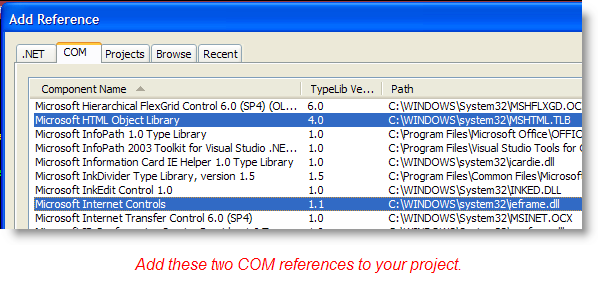
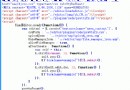
using System;
using System.IO;
using SHDocVw;
using mshtml;

namespace GetIEHtmlDemo
{
    class Program
    {
        static void Main(string[] args)
        {
            // 1. 獲取所有 Shell 視窗(含 IE、資源管理器等)
            ShellWindows shellWindows = new ShellWindowsClass();

            foreach (InternetExplorer ie in shellWindows)
            {
                // 2. 透過進程檔名過濾出 IE 實例
                string fileName = Path.GetFileNameWithoutExtension(ie.FullName).ToLower();
                if (!fileName.Equals("iexplore")) continue;

                // 3. 獲取當前頁面 URL
                Console.WriteLine($"Web Site : {ie.LocationURL}");

                // 4. 取得 HTML 文檔介面
                IHTMLDocument2 htmlDoc = ie.Document as IHTMLDocument2;
                if (htmlDoc != null && htmlDoc.body != null)
                {
                    // 5. 輸出 HTML 片段(前 40 字元)
                    string snippet = htmlDoc.body.outerHTML.Substring(0, Math.Min(40, htmlDoc.body.outerHTML.Length));
                    Console.WriteLine($" Document Snippet: {snippet}");
                }
                else
                {
                    Console.WriteLine(" Document Snippet: ***Failed***");
                }
                Console.WriteLine(Environment.NewLine);
            }
            Console.ReadLine();
        }
    }
}
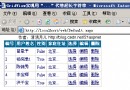
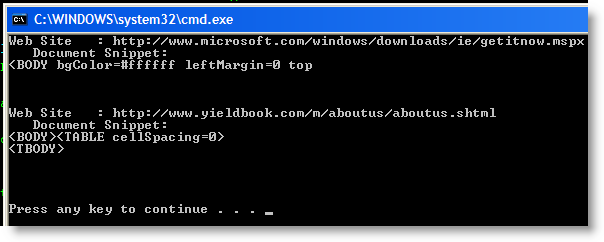
object,需轉型為 IHTMLDocument2 才能存取 DOM。程式啟動後會列出所有 IE 視窗的 URL 及 HTML 片段:
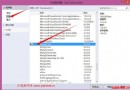
SHDocVw.dll 與 mshtml.dll。