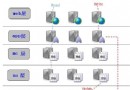
在作業系統層面,進程提供了應用程式的隔離邊界,每個進程擁有獨立的虛擬記憶體空間,彼此無法直接存取。然而進程切換開銷大、無法共享記憶體,限制了高效通訊。.NET 引入 AppDomain(應用程式域) 作為輕量級隔離單元,所有 Managed Code 皆運行於某個 AppDomain 內,單一進程可容納多個相互隔離的 AppDomain。
當作業排程器需定時執行外部 .NET 組件(如 DLL)時,若直接在預設 AppDomain 載入,組件即被鎖定,無法替換或刪除,除非關閉宿主服務——這在生產環境顯然不可接受。因為預設 AppDomain 隨進程生命週期始終存在,無法單獨卸載。
核心思路:動態建立新 AppDomain → 載入組件執行 → 任務完成後卸載該 AppDomain,釋放檔案鎖定。關鍵在於跨域呼叫需透過 MarshalByRefObject 代理物件。
AssemblyDynamicLoader負責建立獨立 AppDomain、設定 Shadow Copy 避免鎖定原始檔案,並產生遠端執行代理 RemoteLoader。
using System;
using System.Collections.Generic;
using System.Globalization;
using System.IO;
using System.Reflection;
using System.Text;
using Ark.Log;

public class AssemblyDynamicLoader
{
    private static readonly ILog log = LogManager.GetLogger(typeof(AssemblyDynamicLoader));
    private AppDomain appDomain;
    private RemoteLoader remoteLoader;

    public AssemblyDynamicLoader()
    {
        var setup = new AppDomainSetup
        {
            ApplicationName = "ApplicationLoader",
            ApplicationBase = AppDomain.CurrentDomain.BaseDirectory,
            PrivateBinPath = Path.Combine(AppDomain.CurrentDomain.BaseDirectory, "private"),
            CachePath = AppDomain.CurrentDomain.BaseDirectory,
            ShadowCopyFiles = "true",
            ShadowCopyDirectories = AppDomain.CurrentDomain.BaseDirectory
        };

        this.appDomain = AppDomain.CreateDomain("ApplicationLoaderDomain", null, setup);
        string assemblyName = Assembly.GetExecutingAssembly().FullName;
        this.remoteLoader = (RemoteLoader)this.appDomain.CreateInstanceAndUnwrap(assemblyName, typeof(RemoteLoader).FullName);
    }

    public string InvokeMethod(string fullName, string className, string argsInput, string programName)
    {
        this.remoteLoader.InvokeMethod(fullName, className, argsInput, programName);
        return this.remoteLoader.Output;
    }

    public void Unload()
    {
        try
        {
            AppDomain.Unload(this.appDomain);
            this.appDomain = null;
        }
        catch (CannotUnloadAppDomainException ex)
        {
            log.Error("卸載組件失敗!", ex);
        }
    }
}
RemoteLoader繼承 MarshalByRefObject,使實例可跨 AppDomain 邊界以 Proxy 方式傳遞。在目標域內載入組件、反射呼叫指定方法(支援靜態/實例、有無參數、有無回傳值)。
using System;
using System.Collections.Generic;
using System.Globalization;
using System.IO;
using System.Reflection;
using System.Text;

public class RemoteLoader : MarshalByRefObject
{
    private Assembly assembly;
    private string output = string.Empty;

    public string Output => this.output;

    public void InvokeMethod(string fullName, string className, string argsInput, string programName)
    {
        this.assembly = null;
        this.output = string.Empty;

        try
        {
            this.assembly = Assembly.LoadFrom(fullName);
            Type pgmType = this.assembly?.GetType(className, true, true) ?? Type.GetType(className, true, true);
            object[] args = RunJob.GetArgs(argsInput);

            var bindingFlags = BindingFlags.DeclaredOnly | BindingFlags.Public | BindingFlags.NonPublic
                             | BindingFlags.Instance | BindingFlags.IgnoreCase | BindingFlags.InvokeMethod | BindingFlags.Static;
            var culture = new CultureInfo("es-ES", false);

            try
            {
                MethodInfo method = RunJob.GetItsMethodInfo(pgmType, bindingFlags, programName);
                if (method == null) { this.output = "EMethod does not exist!"; return; }

                bool isStatic = method.IsStatic;
                int paramCount = method.GetParameters().Length;
                bool hasReturn = method.ReturnType != typeof(void);

                if (isStatic)
                {
                    if (paramCount == 0)
                    {
                        object result = pgmType.InvokeMember(programName, bindingFlags, null, null, null, culture);
                        this.output = hasReturn ? (string)result : "STo call a method without return value successful.";
                    }
                    else
                    {
                        object result = pgmType.InvokeMember(programName, bindingFlags, null, null, args, culture);
                        this.output = hasReturn ? (string)result : "STo call a method without return value successful.";
                    }
                }
                else
                {
                    object instance = Activator.CreateInstance(pgmType);
                    if (paramCount == 0)
                    {
                        object result = pgmType.InvokeMember(programName, bindingFlags, null, instance, null, culture);
                        this.output = hasReturn ? (string)result : "STo call a method without return value successful.";
                    }
                    else
                    {
                        object result = pgmType.InvokeMember(programName, bindingFlags, null, instance, args, culture);
                        this.output = hasReturn ? (string)result : "STo call a method without return value successful.";
                    }
                }
            }
            catch
            {
                this.output = (string)pgmType.InvokeMember(programName, bindingFlags, null, null, null, culture);
            }
        }
        catch (Exception e)
        {
            this.output = "E" + e.Message;
        }
    }
}
var loader = new AssemblyDynamicLoader();
string result = loader.InvokeMethod("MyPlugin.dll", "MyNamespace.MyClass", "arg1,arg2", "Execute");
loader.Unload(); // 釋放檔案鎖定,可隨時替換 DLL
關鍵優勢:
✅ 組件隔離,不污染主域
✅ 支援 Shadow Copy,原始檔案可隨時覆寫
✅ 執行完畢即時卸載,實現真正的熱插拔