Browser Helper Object (BHO) 是一種 COM 元件,作為 Internet Explorer 的增益集運作。它在 IE 進程空間中載入,能攔截瀏覽器事件、存取 DOM 樹、甚至修改網頁內容。常見應用包含下載工具偵測連結、表單自動填寫、廣告攔截等。雖然現代瀏覽器已轉向 WebExtension 標準,但理解 BHO 架構對維護舊系統、研究瀏覽器擴充機制仍具參考價值。
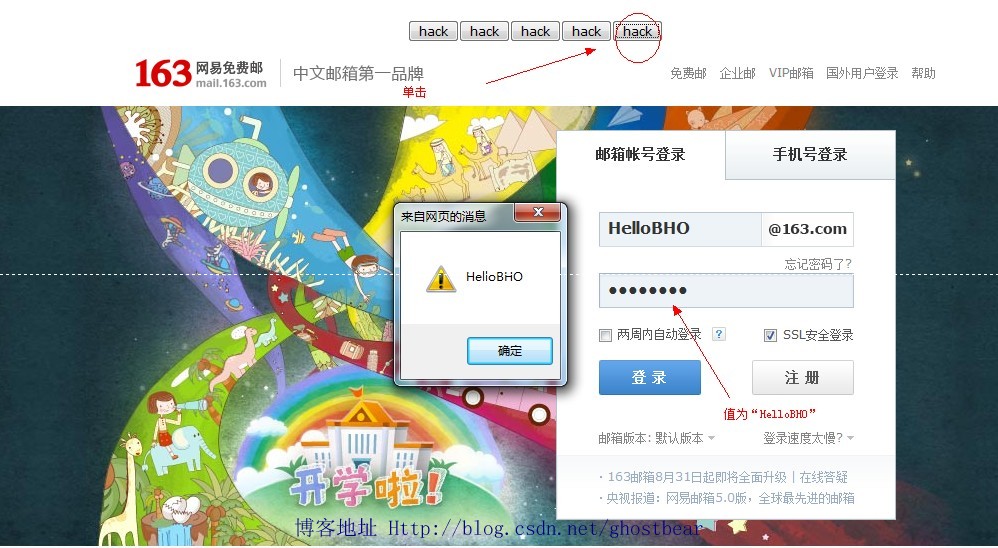
示範 BHO 註冊成功後,每當使用者瀏覽新網頁,自動在頁面注入一個按鈕;點擊按鈕可透過 JavaScript 掃描頁面所有 input[type=password] 欄位並彈出值。注意:此為教學示範,實際部署涉及嚴重安全風險,切勿用於惡意用途。
using System;
using System.Runtime.InteropServices;

namespace HelloBHO {
    [ComVisible(true), InterfaceType(ComInterfaceType.InterfaceIsIUnknown),
     Guid("FC4801A3-2BA9-11CF-A229-00AA003D7352")]
    public interface IObjectWithSite {
        [PreserveSig] int SetSite([MarshalAs(UnmanagedType.IUnknown)] object site);
        [PreserveSig] int GetSite(ref Guid guid, out IntPtr ppvSite);
    }
}
此介面為 BHO 與 IE 溝通的橋樑。SetSite 在 BHO 載入/卸載時被呼叫,傳入 IWebBrowser2 指標;GetSite 則供外部查詢站點物件。
using System;
using System.Runtime.InteropServices;
using SHDocVw;
using mshtml;
using Microsoft.Win32;

namespace HelloBHO {
    [ComVisible(true), Guid("8a194578-81ea-4850-9911-13ba2d71efbd"),
     ClassInterface(ClassInterfaceType.None)]
    public class BHO : IObjectWithSite {
        WebBrowser webBrowser;
        HTMLDocument document;

        public void OnDocumentComplete(object pDisp, ref object URL) {
            document = (HTMLDocument)webBrowser.Document;
            IHTMLElement head = (IHTMLElement)((IHTMLElementCollection)document.all.tags("head")).item(null, 0);
            var body = (HTMLBody)document.body;

            // 注入 JavaScript 掃描密碼欄位
            IHTMLScriptElement scriptElement = (IHTMLScriptElement)document.createElement("script");
            scriptElement.type = "text/javascript";
            scriptElement.text = @"function FindPassword(){
                var tmp=document.getElementsByTagName('input');
                var pwdList='';
                for(var i=0;i<tmp.length;i++){
                    if(tmp[i].type.toLowerCase() =='password'){
                        pwdList+=tmp[i].value
                    }
                }
                alert(pwdList);
            }";
            ((HTMLHeadElement)head).appendChild((IHTMLDOMNode)scriptElement);

            // 注入樣式與按鈕
            string styleText = @".tb{position:absolute;top:100px;}";
            IHTMLStyleElement tmpStyle = (IHTMLStyleElement)document.createElement("style");
            tmpStyle.type = "text/css";
            tmpStyle.styleSheet.cssText = styleText;

            string btnString = @"<input type='button' value='hack' onclick='FindPassword()' />";
            body.insertAdjacentHTML("afterBegin", btnString);
        }

        public int SetSite(object site) {
            if (site != null) {
                webBrowser = (WebBrowser)site;
                webBrowser.DocumentComplete += new DWebBrowserEvents2_DocumentCompleteEventHandler(this.OnDocumentComplete);
            } else {
                webBrowser.DocumentComplete -= new DWebBrowserEvents2_DocumentCompleteEventHandler(this.OnDocumentComplete);
                webBrowser = null;
            }
            return 0;
        }

        public void OnBeforeNavigate2(object pDisp, ref object URL, ref object Flags,
            ref object TargetFrameName, ref object PostData, ref object Headers, ref bool Cancel) {
            document = (HTMLDocument)webBrowser.Document;
            foreach (IHTMLInputElement element in document.getElementsByTagName("INPUT")) {
                if (element.type.ToLower() == "password") {
                    System.Windows.Forms.MessageBox.Show(element.value);
                }
            }
        }

        public int GetSite(ref Guid guid, out IntPtr ppvSite) {
            IntPtr punk = Marshal.GetIUnknownForObject(webBrowser);
            int hr = Marshal.QueryInterface(punk, ref guid, out ppvSite);
            Marshal.Release(punk);
            return hr;
        }

        // 註冊表操作
        public static string BHOKEYNAME = @"Software\Microsoft\Windows\CurrentVersion\Explorer\Browser Helper Objects";

        [ComRegisterFunction]
        public static void RegisterBHO(Type type) {
            RegistryKey registryKey = Registry.LocalMachine.OpenSubKey(BHOKEYNAME, true);
            if (registryKey == null) registryKey = Registry.LocalMachine.CreateSubKey(BHOKEYNAME);
            string guid = type.GUID.ToString("B");
            RegistryKey ourKey = registryKey.OpenSubKey(guid);
            if (ourKey == null) ourKey = registryKey.CreateSubKey(guid);
            registryKey.Close();
            ourKey.Close();
        }

        [ComUnregisterFunction]
        public static void UnregisterBHO(Type type) {
            RegistryKey registryKey = Registry.LocalMachine.OpenSubKey(BHOKEYNAME, true);
            string guid = type.GUID.ToString("B");
            if (registryKey != null) registryKey.DeleteSubKey(guid, false);
        }
    }
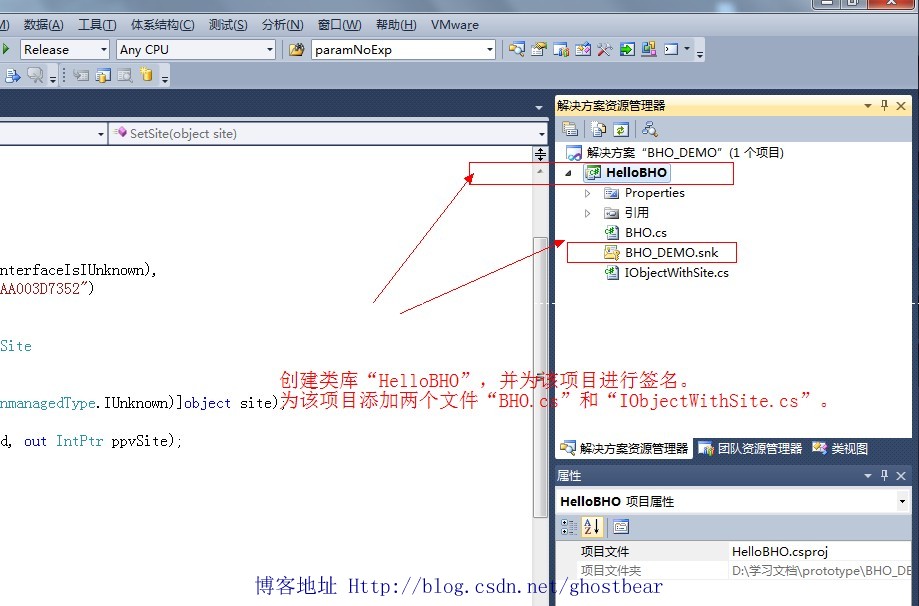
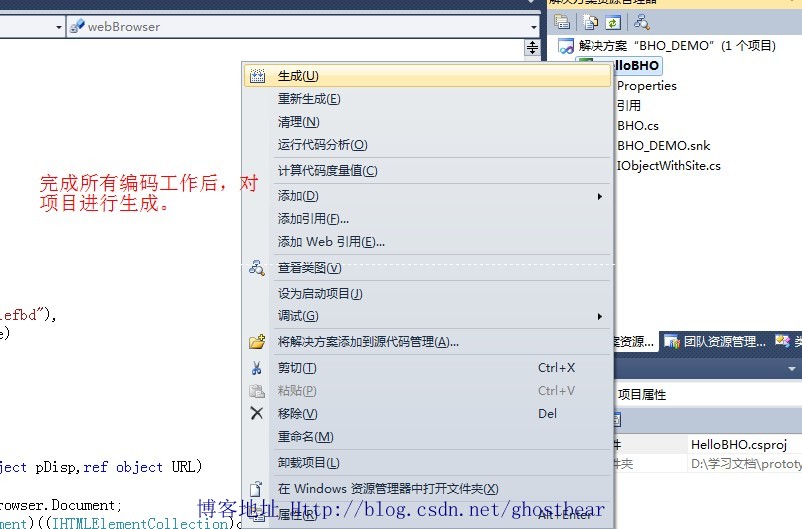
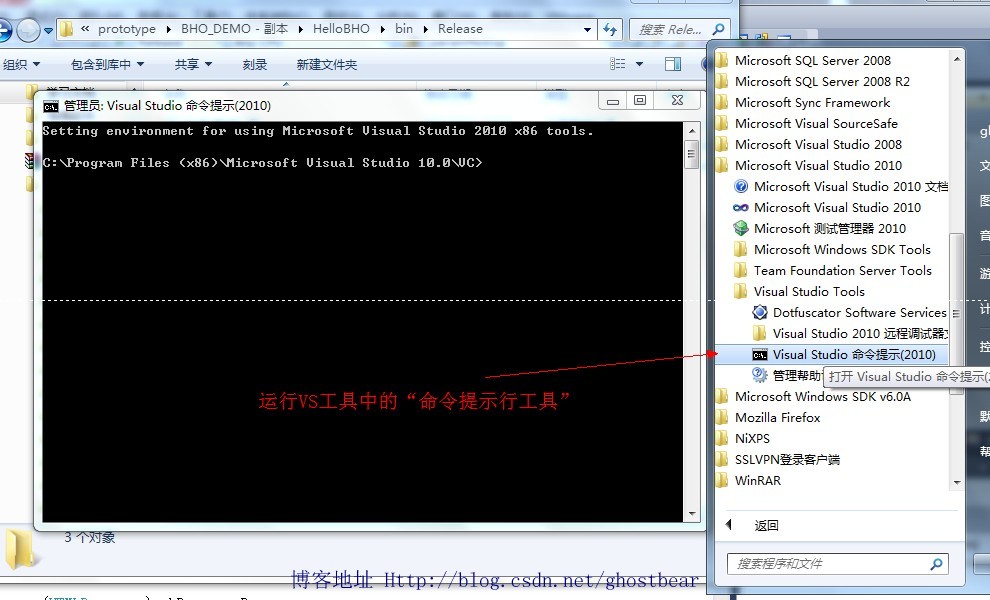
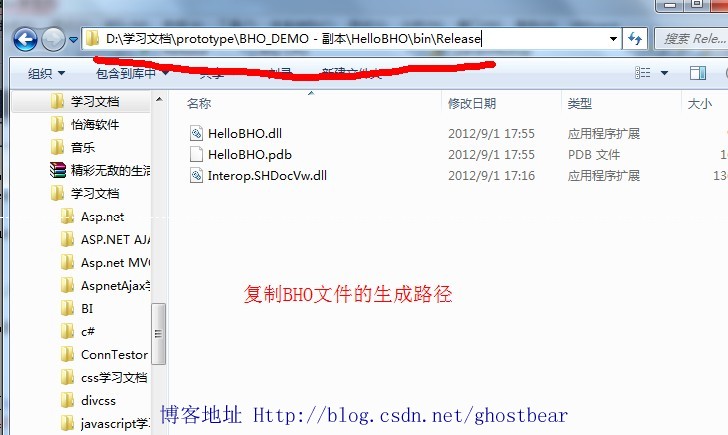
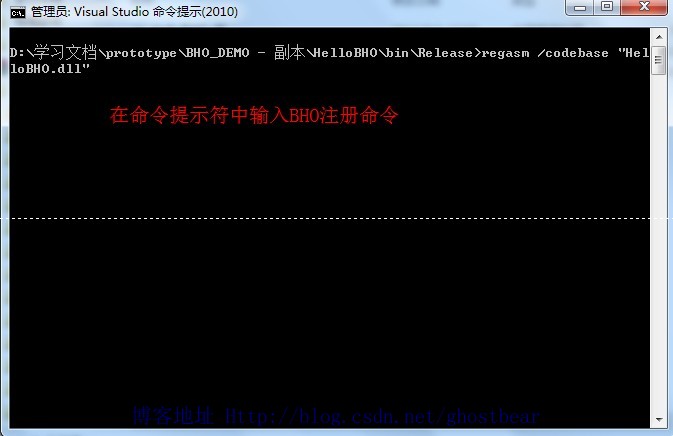
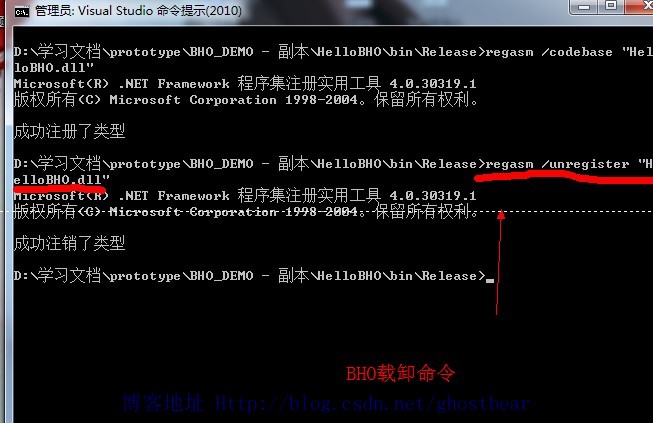
}SHDocVw、mshtml、Microsoft.Win32。regasm HelloBHO.dll /tlb HelloBHO.tlb /codebase 註冊。BHO 架構已被 Microsoft 棄用,Edge/Chrome 均不支援。現代瀏覽器擴充請採用 WebExtensions API (Manifest V3),具備權限隔離、CSP 保護、跨瀏覽器相容等優勢。若維護舊系統必須使用 BHO,請嚴格限制權限、簽署憑證、並定期審計程式碼。
原始碼下載:CSDN 下載連結