Windows\Speech\Vtxtauto.tlbVtxtAuto_TLB.cpp/h,內含 COM 介面包裝類別新增 VCL Forms 專案,拖放元件:
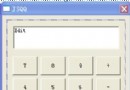
TEdit *Edit1 — 輸入欲朗讀文字TButton *Button1 — 觸發朗讀#ifndef Unit1H
#define Unit1H
#include <Classes.hpp>
#include <Controls.hpp>
#include <StdCtrls.hpp>
#include <Forms.hpp>
class TForm1 : public TForm {
__published:
TEdit *Edit1;
TButton *Button1;
void __fastcall FormCreate(TObject *Sender);
void __fastcall Button1Click(TObject *Sender);
private:
public:
__fastcall TForm1(TComponent* Owner);
};
extern PACKAGE TForm1 *Form1;
#endif#include <vcl.h>
#pragma hdrstop
#include "Unit1.h"
#include "VtxtAuto_TLB.h" // 匯入的 TLB 標頭
#pragma package(smart_init)
#pragma resource "*.dfm"
TForm1 *Form1;
IVTxtAuto *IVTxtAuto1 = nullptr; // TTS COM 介面指標
__fastcall TForm1::TForm1(TComponent* Owner) : TForm(Owner) {}
void __fastcall TForm1::FormCreate(TObject *Sender) {
CoInitialize(NULL); // 初始化 COM 庫
WideString appName = "Demo1";
WideString exeName = "Project1.exe";
WideString speakText = "Hi, I am trying to speak to you, Do you hear me?";
// 建立 TTS 物件
HRESULT hr = CoCreateInstance(CLSID_VTxtAuto_, NULL, CLSCTX_ALL,
IID_IVTxtAuto, (LPVOID*)&IVTxtAuto1);
if (FAILED(hr) || !IVTxtAuto1) {
ShowMessage("TTS 引擎初始化失敗!");
return;
}
IVTxtAuto1->Register(appName, exeName);
IVTxtAuto1->set_Enabled(VARIANT_TRUE);
IVTxtAuto1->set_Speed(150); // 語速
IVTxtAuto1->Speak(speakText, vtxtsp_VERYHIGH); // 優先級朗讀
}
void __fastcall TForm1::Button1Click(TObject *Sender) {
if (IVTxtAuto1) {
IVTxtAuto1->Speak(WideString(Edit1->Text), vtxtsp_VERYHIGH);
ShowMessage("OK"); // 無聲卡時的除錯提示
} else {
ShowMessage("TTS 服務未就緒");
}
}#include <vcl.h>
#pragma hdrstop
USERES("Project1.res");
USEFORM("Unit1.cpp", Form1);
USEUNIT("D:\\Borland\\CBuilder5\\Imports\\VtxtAuto_TLB.cpp"); // 依實際路徑調整
WINAPI WinMain(HINSTANCE, HINSTANCE, LPSTR, int) {
try {
Application->Initialize();
Application->CreateForm(__classid(TForm1), &Form1);
Application->Run();
} catch (Exception &e) {
Application->ShowException(&e);
}
return 0;
}若不想引入 TLB 標頭,可改用 Variant 晚期繫結:
Variant tts = Variant::CreateObject("VtxtAuto.TTS");
tts.Register("App", "App.exe");
tts.Enabled = true;
tts.Speed = 150;
tts.Speak("Hello Variant!", 3); // vtxtsp_VERYHIGH = 3
優點:無需編譯期 TLB;缺點:失去 IDE 智慧提示、效能稍低。
| 現象 | 可能原因 | 對策 |
|---|---|---|
| CoCreateInstance 回傳 0x80040154 (CLASS_NOT_REGISTERED) | 系統未安裝 Microsoft TTS 引擎 | 安裝 SAPI 5.1+ 或 Speech SDK |
| 無聲音輸出 | 音訊裝置被佔用/靜音 | 檢查音量合成器、預設播放裝置 |
| 中文唸成英文發音 | 預設語音引擎不支援中文 | 安裝中文語音包(如 Microsoft Lili/Hui) |
透過 VtxtAuto.tlb 封裝的 COM 介面,C++Builder 僅需寥寥代碼即可整合系統級 TTS 功能。若專案需跨平台或更精細控制(音調、音量、SSML),建議改用 SAPI 5.4+ 直接介面 (ISpVoice) 或第三方引擎(eSpeak、Festival、Azure Cognitive Services)。