XCB 是 X 協定的 C 語言綁定,最接近底層的 UI 函式庫。現代應用多用 Qt/GTK 等高層封裝,但學習 XCB 能深入理解 X 協定、視窗系統架構、事件模型等核心原理。
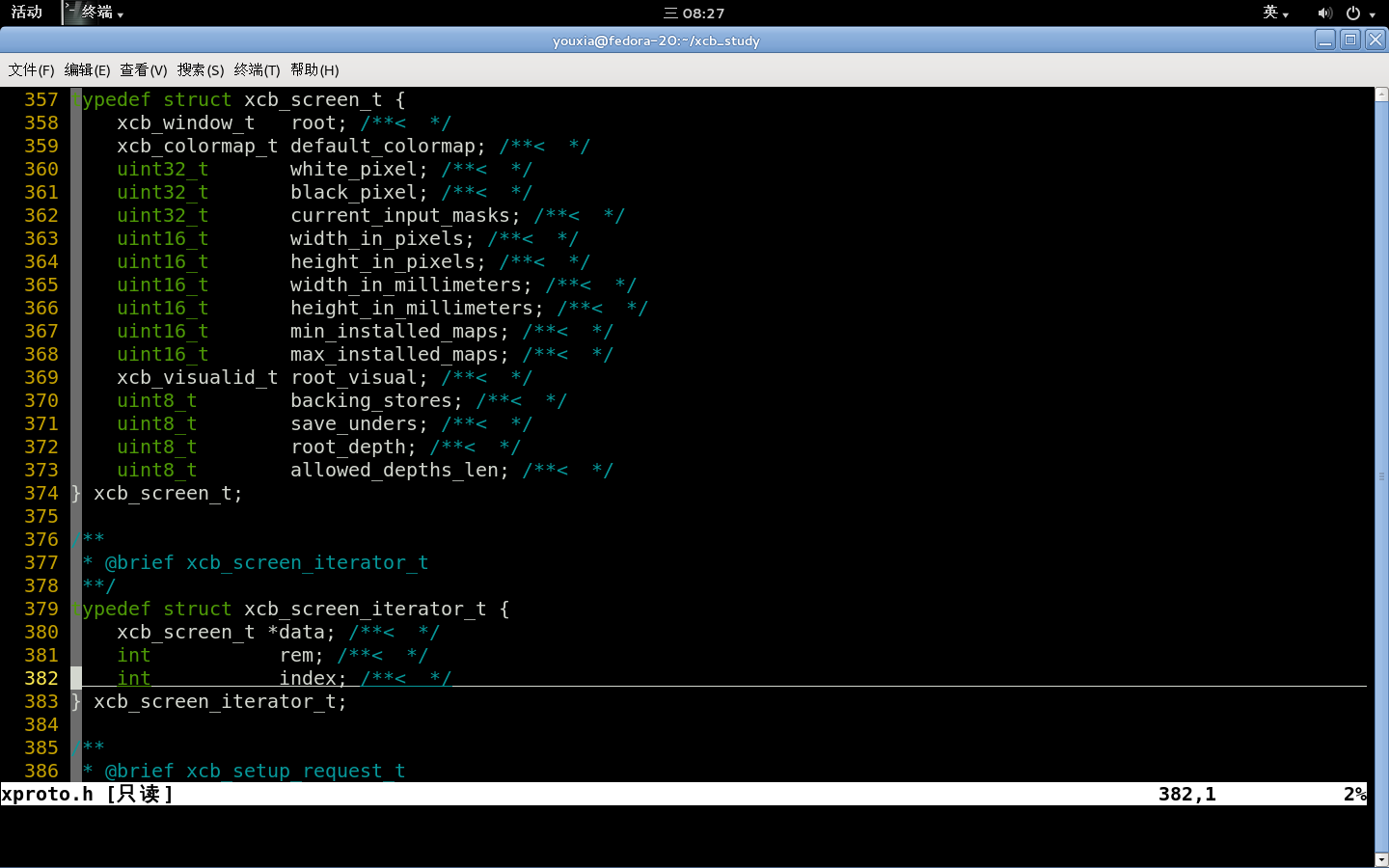
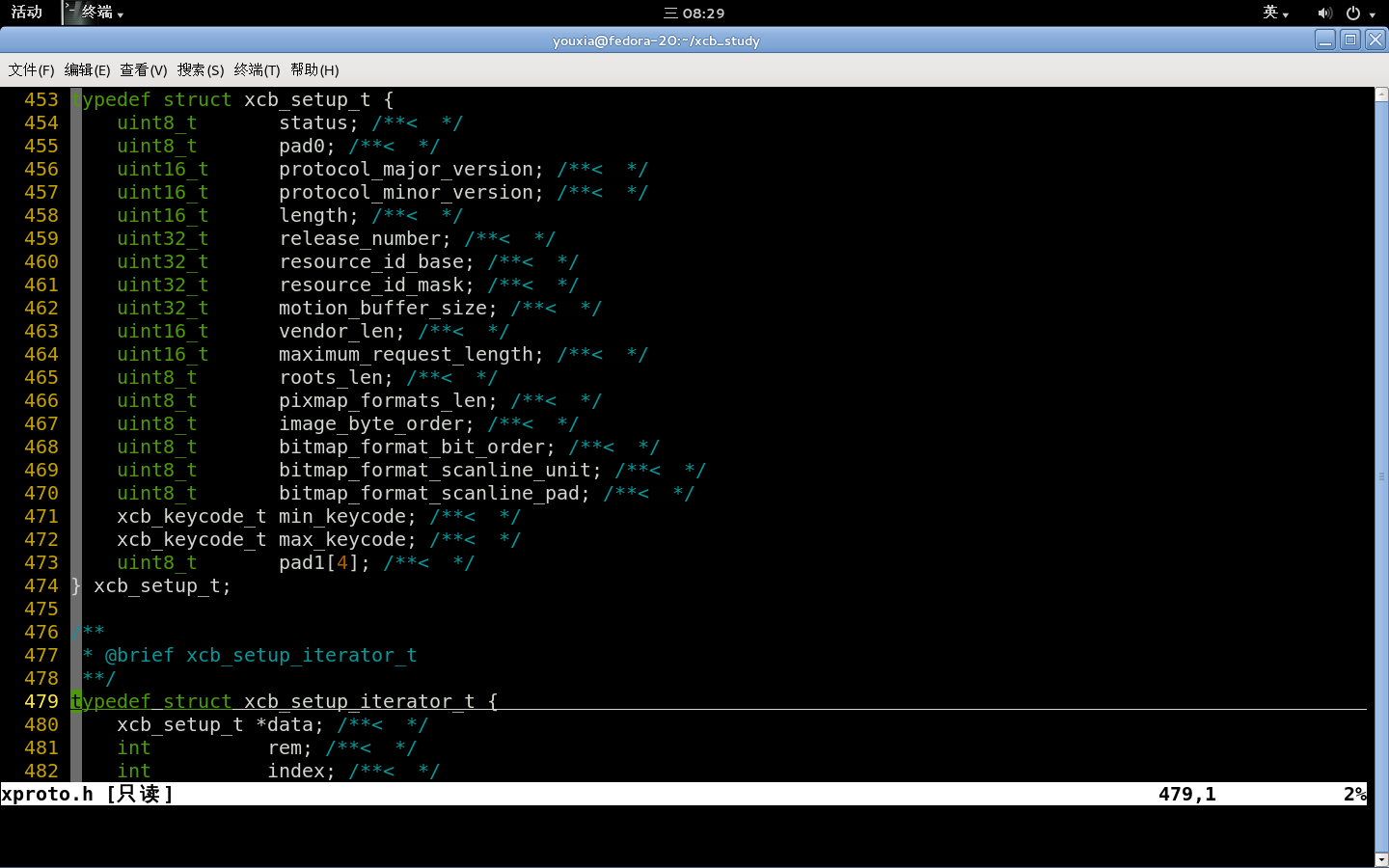
/usr/include/xcb/(安裝 libxcb-devel 後),搭配 ctags/Vim 即可高效閱讀原始碼文檔。
#include <stdlib.h> #include <sys/time.h> #include <unistd.h>
#include <xcb/xcb.h> #include <stdio.h>

double get_time() {
    struct timeval tv; gettimeofday(&tv, NULL);
    return tv.tv_sec + tv.tv_usec / 1000000.0;
}

int main() {
    double start = get_time();
    xcb_connection_t *conn = xcb_connect(NULL, NULL);
    const xcb_setup_t *setup = xcb_get_setup(conn);
    xcb_screen_iterator_t iter = xcb_setup_roots_iterator(setup);
    xcb_screen_t *screen = iter.data;

    xcb_window_t win = xcb_generate_id(conn);
    xcb_create_window(conn, XCB_COPY_FROM_PARENT, win, screen->root,
                      100, 100, 400, 300, 10,
                      XCB_WINDOW_CLASS_INPUT_OUTPUT, screen->root_visual, 0, NULL);
    xcb_map_window(conn, win); xcb_flush(conn);

    printf("耗時:%f 秒。\n", get_time() - start); fflush(stdout);
    pause(); // 無事件迴圈,需 Ctrl+C 結束
    xcb_disconnect(conn); return 0;
}
xcb_connect() 回傳 xcb_connection_t*,可取得螢幕編號。xcb_get_setup() 含協定版本、位元序等,通常不需直接操作。xcb_setup_roots_iterator() 回傳迭代器,單螢幕取 iter.data。xcb_screen_t 含根視窗、尺寸、色深、黑白像素值等關鍵資訊。xcb_generate_id() 產生視窗 IDxcb_create_window() 建立視窗(需 parent、幾何、類別、visual 等)xcb_map_window() 映射顯示xcb_flush() 送出請求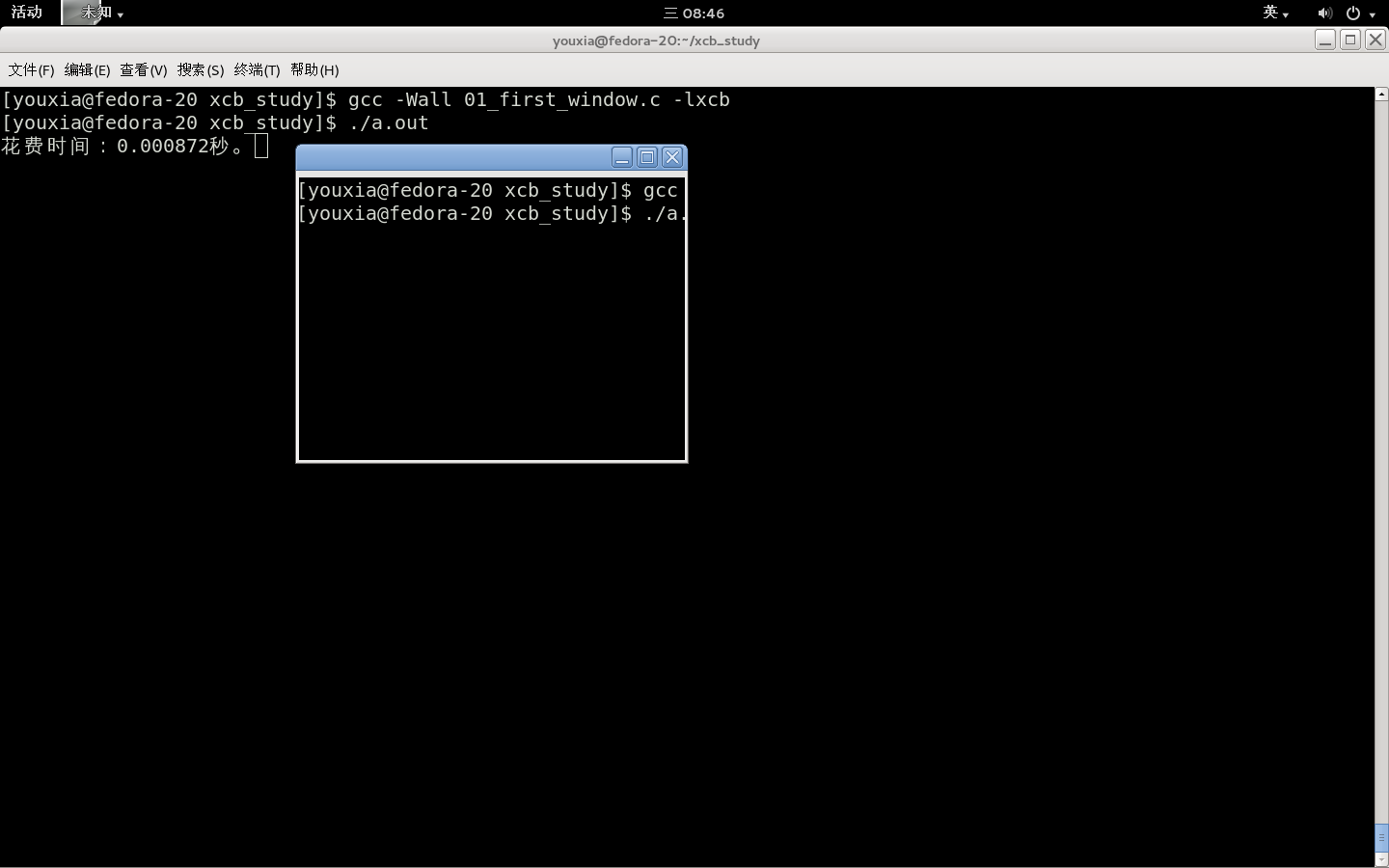
視窗無背景,顯示桌面殘影(未處理 EXPOSE 事件)。
int screen_num;
xcb_connection_t *conn = xcb_connect(NULL, &screen_num);
xcb_screen_iterator_t iter = xcb_setup_roots_iterator(xcb_get_setup(conn));
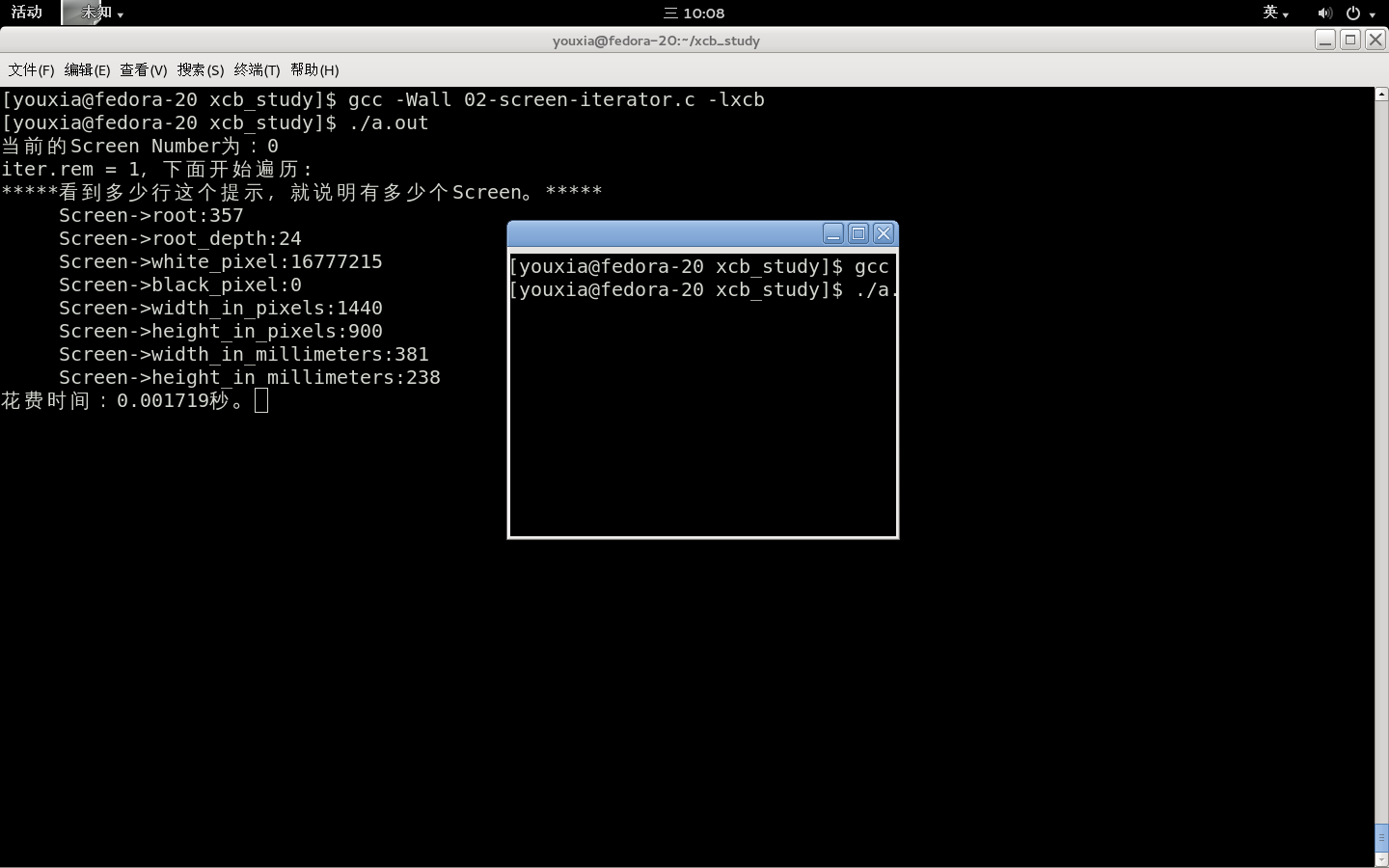
printf("Current screen number: %d\niter.rem = %d\n", screen_num, iter.rem);
for (; iter.rem; xcb_screen_next(&iter)) {
    xcb_screen_t *sc = iter.data;
    printf("root=%u depth=%u white=%u black=%u %ux%u px %ux%u mm\n",
           sc->root, sc->root_depth, sc->white_pixel, sc->black_pixel,
           sc->width_in_pixels, sc->height_in_pixels,
           sc->width_in_millimeters, sc->height_in_millimeters);
}
Vim + ctags + taglist.vim:游標停留在型別/函式上按 Ctrl+] 即跳轉定義。