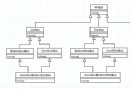
canvas.toDataURL() 獲取 Base64 數據,AJAX POST 給後端 Handler。後端保存至 IIS 共享路徑,返回文件名。前端通過隱藏 iframe 請求 getpng 接口,後端設置 Content-Disposition: Attachment 彈出保存對話框。適用於簡單圖片,但大圖 Base64 字符串過長可能失敗。
前端將繪圖參數(JSON)傳給後端,後端使用 System.Drawing (GDI+) 在 Bitmap 上重新繪製,保存為 PNG/PDF。無數據量限制,邏輯復用性高。PDF 同理,將 Bitmap 寫入 PDF 流。
// 後端 Handler
if (action == "drawpng") {
    var figures = JsonHelper.Deserialize<List<DrawModel>>(context.Request["datas"]);
    string fileName = drawing.GetImageUrl(width, height, figures, sharedPath);
    context.Response.Write(fileName);
} else if (action == "getpng") {
    context.Response.AppendHeader("Content-Disposition",
        $"Attachment; FileName={DateTime.Now:yyyyMMdd_HHmmss}.png");
    context.Response.WriteFile(sharedPath + "/" + context.Request["fileName"]);
}