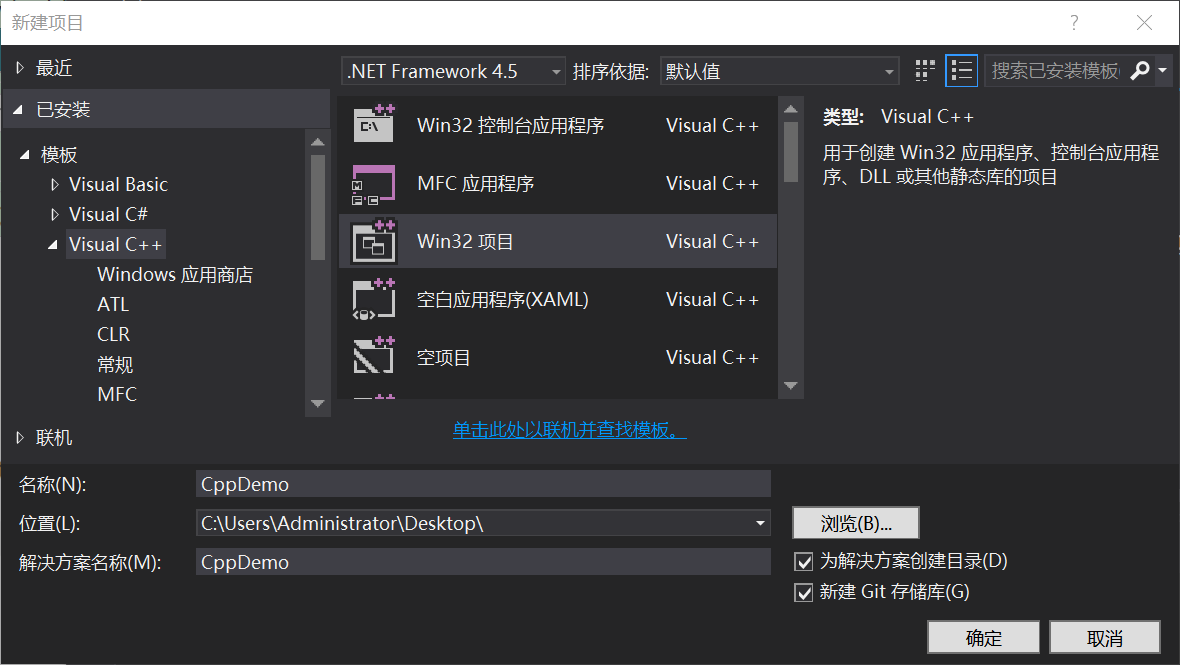
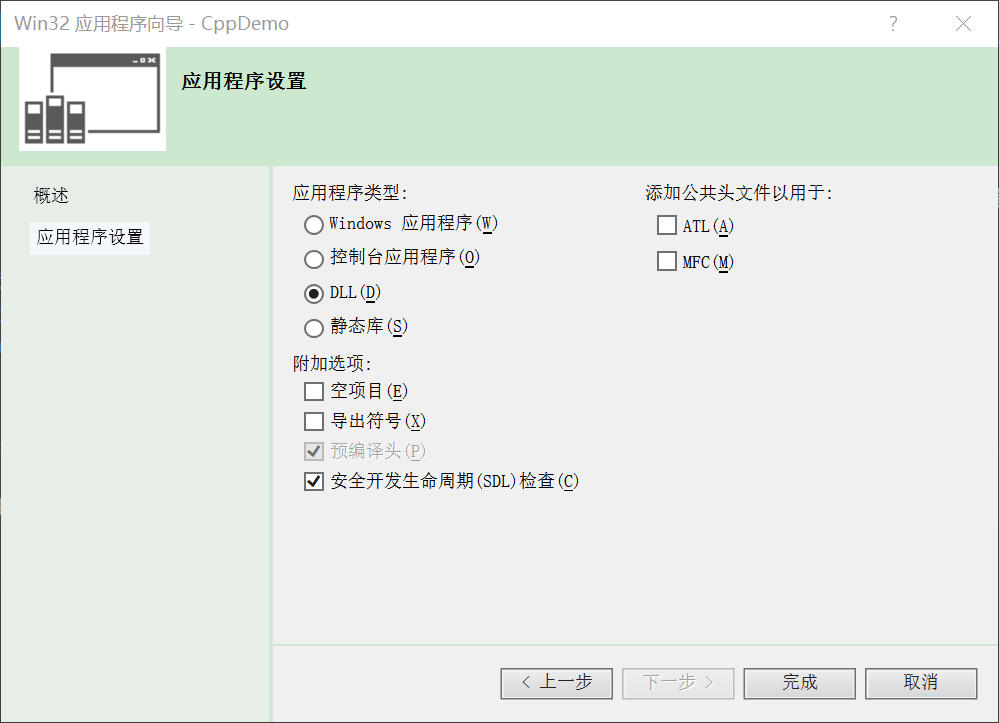
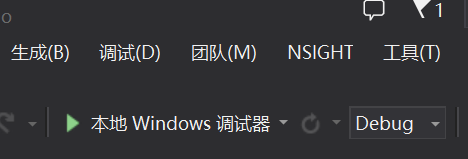
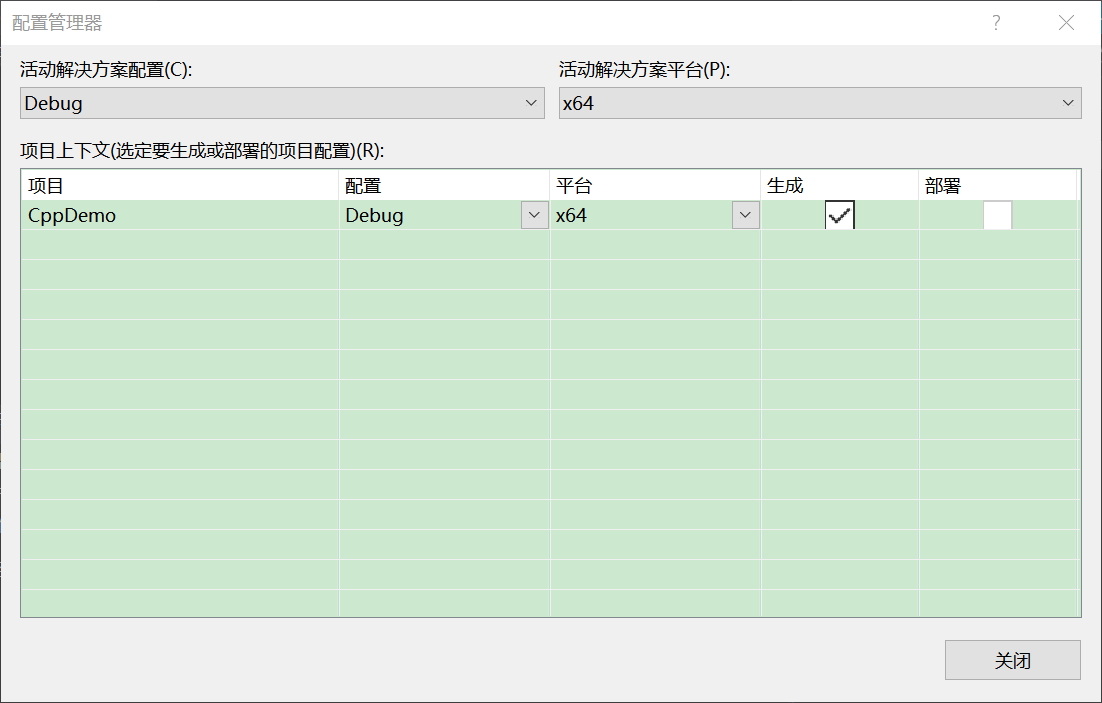
// CppDemo.cpp
extern "C" __declspec(dllexport) int Add(int x, int y) { return x + y; }
extern "C" __declspec(dllexport) int Sub(int x, int y) { return x - y; }
extern "C" __declspec(dllexport) int Multiply(int x, int y) { return x * y; }
extern "C" __declspec(dllexport) int Divide(int x, int y) { return x / y; }
關鍵字解析:
extern "C":禁用 C++ 名稱修飾,按 C 語言規則導出,使 DllImport 能按名查找__declspec(dllexport):將函數放入 DLL 導出表將編譯生成的 CppDemo.dll 複製到 C# 項目 bin/x64/Debug/ 目錄(或設置 Copy to Output Directory)。
public class CPPDLL {
    [DllImport("CppDemo.dll")]
    public static extern int Add(int x, int y);

    [DllImport("CppDemo.dll")]
    public static extern int Sub(int x, int y);

    [DllImport("CppDemo.dll")]
    public static extern int Multiply(int x, int y);

    [DllImport("CppDemo.dll")]
    public static extern int Divide(int x, int y);
}
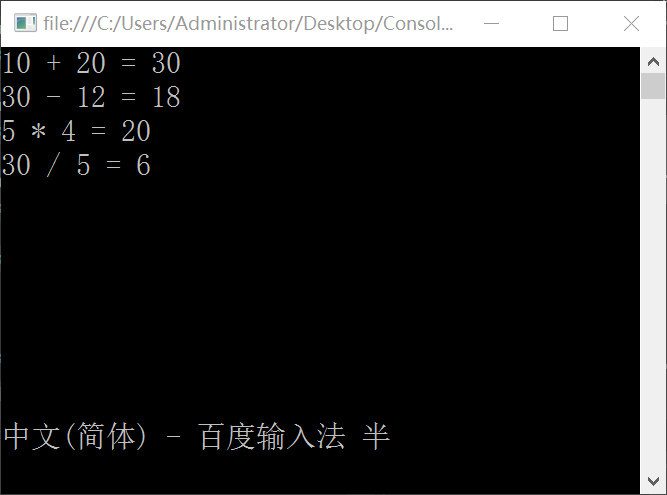
int result = CPPDLL.Add(10, 20);
Console.WriteLine($"10 + 20 = {result}");
// 輸出:10 + 20 = 30
// UserInfo.h
typedef struct {
    char name[32];
    int age;
} User;

class UserInfo {
    char* m_Name;
    int m_Age;
public:
    UserInfo(char* name, int age) : m_Name(name), m_Age(age) {}
    virtual ~UserInfo() {}
    int GetAge() { return m_Age; }
    char* GetName() { return m_Name; }
};

// UserInfo.cpp
extern "C" __declspec(dllexport) User* Create(char* name, int age) {
    User* user = (User*)malloc(sizeof(User));
    UserInfo* info = new UserInfo(name, age);
    strcpy(user->name, info->GetName());
    user->age = info->GetAge();
    return user;  // 返回堆分配的結構體指針
}
設計要點:
malloc 分配內存,避免 C++ new 與 C# 內存管理衝突char[32] 便於 C# 封送[StructLayout(LayoutKind.Sequential)]
public struct User {
[MarshalAs(UnmanagedType.ByValTStr, SizeConst = 32)]
public string Name;
public int Age;
}
public class CPPDLL {
// ... 原有函數 ...
[DllImport("CppDemo.dll")]
public static extern IntPtr Create(string name, int age);
}
// 調用
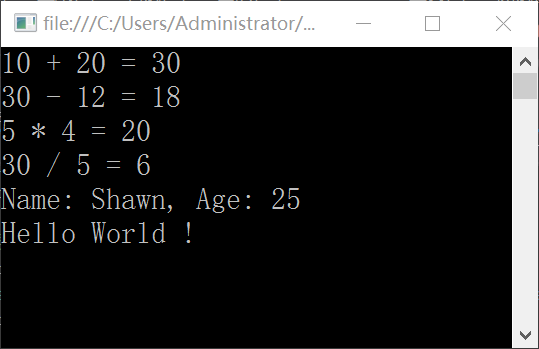
IntPtr ptr = CPPDLL.Create("Shawn", 25);
User user = (User)Marshal.PtrToStructure(ptr, typeof(User));
Console.WriteLine($"Name: {user.Name}, Age: {user.Age}");
// 輸出:Name: Shawn, Age: 25
[StructLayout(LayoutKind.Sequential)]:按聲明順序佈局,匹配 C++ 內存排列[MarshalAs(UnmanagedType.ByValTStr, SizeConst = 32)]:固定長度字符串封送IntPtr:跨平台指針類型,接收 C++ 返回的指針Marshal.PtrToStructure:將非托管內存轉為托管結構體| 問題 | 解決方案 |
|---|---|
| BadImageFormatException | C++ DLL 與 C# 目標平台不一致(x86/x64),統一設置 |
| EntryPointNotFoundException | 缺少 extern "C" 導致名稱修飾,或導出名拼寫錯誤 |
| 內存洩露/崩潰 | C++ 用 malloc,C# 用完需調用 C++ 導出的 Free 函數釋放 |
| 字符串亂碼 | 指定 CharSet = CharSet.Ansi 或 Unicode,匹配 C++ 編譯選項 |
C# 調用 C++ DLL 核心流程:C++ 導出 C 風格接口 → C# P/Invoke 聲明 → 內存佈局匹配 → 指針轉結構體。掌握 extern "C"、__declspec(dllexport)、StructLayout、MarshalAs、IntPtr 五大關鍵點,即可實現複雜類型的安全跨語言互操作。