上一篇介紹了 Lua C API 基礎,本文將通過完整的 Visual Studio 專案實戰,演示如何搭建 C++ 嵌入 Lua 環境,實現腳本加載執行、雙向函數調用、參數傳遞與返回值獲取等核心交互功能。
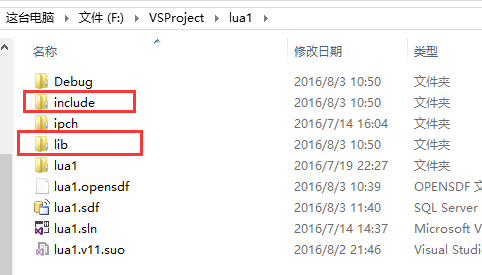
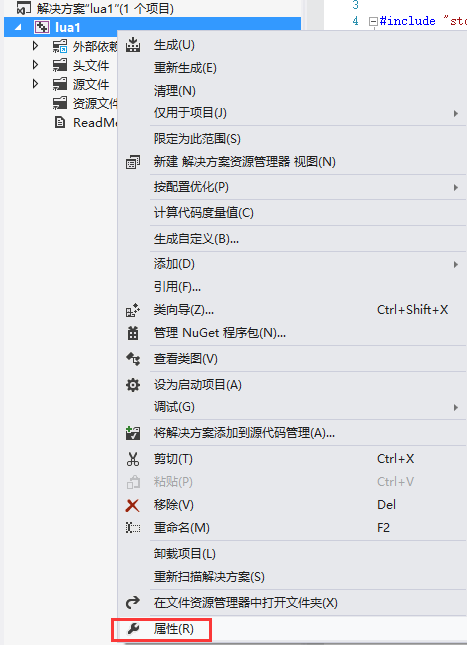
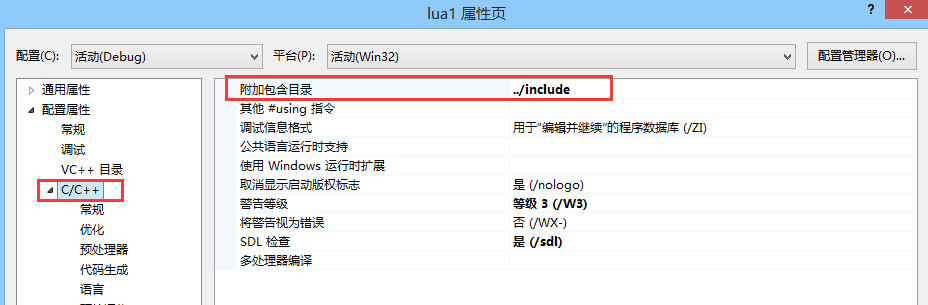
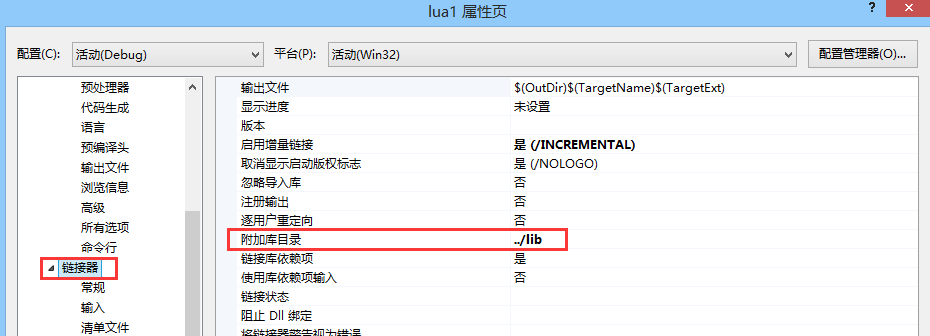
lua1)include、lib 資料夾複製到專案根目錄(與 .sln 同級)../include../libextern "C" 包含 Lua 頭文件,並用 #pragma comment(lib, "lua5.1.lib") 鏈接庫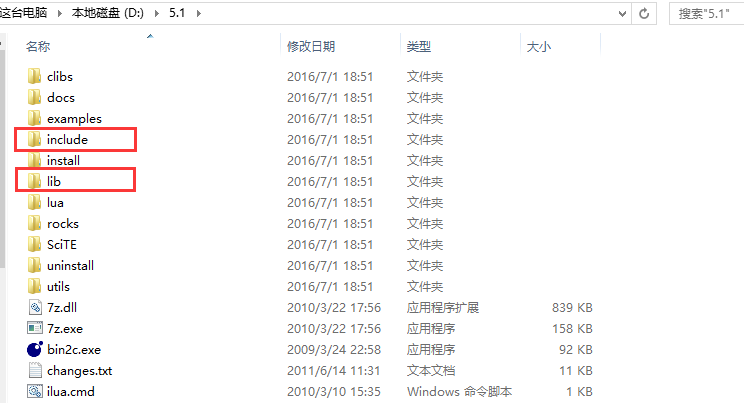
// lua1.cpp
#include "stdafx.h"
#include <iostream>
#include <stdio.h>
#include <string.h>

extern "C" {
    #include "lua.h"
    #include "lauxlib.h"
    #include "lualib.h"
}

using namespace std;
#pragma comment(lib, "lua5.1.lib")

int _tmain(int argc, _TCHAR* argv[]) {
    char buff[256];
    int error;

    // 1. 創建 Lua 狀態機(虛擬棧)
    lua_State* L = luaL_newstate();
    // 2. 打開標準庫
    luaL_openlibs(L);

    // 3. 加載 Lua 文件並編譯為代碼塊
    char fileName[] = "F:/LuaFile/lua1.lua";
    luaL_loadfile(L, fileName);

    // 4. 執行代碼塊
    int result = lua_pcall(L, 0, LUA_MULTRET, 0);
    if (!result) {
        printf_s("Lua 腳本運行成功\n");
    }

    // 5. 關閉狀態機
    lua_close(L);
    return 0;
}
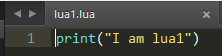
Lua 腳本 lua1.lua:
print("I am lua1")

關鍵 API 解析:
luaL_newstate:創建獨立 Lua 狀態機(虛擬棧)luaL_openlibs:載入標準庫(base, string, table, math 等)luaL_loadfile:讀取文件、語法分析、編譯為字節碼塊壓棧lua_pcall:受保護調用執行棧頂代碼塊,參數含義:(L, nargs, nresults, errfunc)lua_close:銷毀狀態機,釋放所有資源使用 luaL_loadbuffer 直接編譯內存字符串:
int _tmain(int argc, _TCHAR* argv[]) {
    char buff[256];
    int loadError, callError;
    lua_State* L = luaL_newstate();
    luaL_openlibs(L);

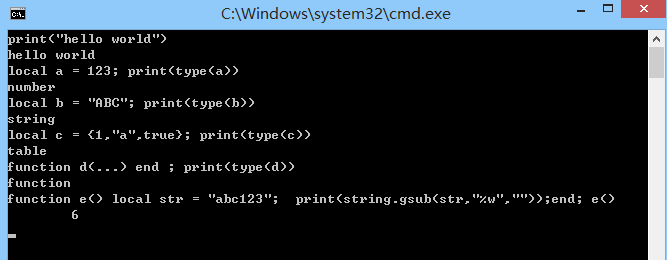
    // 方式一:從 stdin 逐行讀取並執行
    while (fgets(buff, sizeof(buff), stdin) != NULL) {
        loadError = luaL_loadbuffer(L, buff, strlen(buff), "line");
        if (loadError) {
            printf_s("%s\n", lua_tostring(L, -1));
            lua_pop(L, 1);
        }
        callError = lua_pcall(L, 0, 0, 0);
        if (callError) {
            printf_s("%s\n", lua_tostring(L, -1));
            lua_pop(L, 1);
        }
    }
    lua_close(L);
    return 0;
}
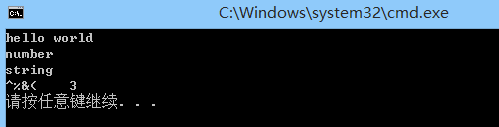
方式二:C++ 長字符串直接作為代碼塊:
string luaBuff = "print('hello world');"
    "local a = 123;"
    "print(type(a));"
    "local b = 'ABC';"
    "print(type(b));"
    "function d(...)"
    "local str = 'abc^%&(';"
    "print(string.gsub(str, '%w', ''));"
    "end;"
    "d();";

loadError = luaL_loadbuffer(L, luaBuff.c_str(), strlen(luaBuff.c_str()), "line");
// ... 執行流程同上
核心機制:全局表作為雙方通信的橋樑。
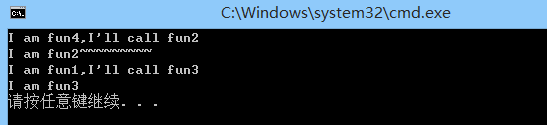
lua_pushcfunction 壓入 C 函數指針 → lua_setglobal 註冊全局名lua_getglobal 獲取全局函數 → lua_pcall 調用lua_pcall 執行主腳本塊(定義 Lua 函數),再註冊/獲取全局函數C++ 代碼:
void fun1(lua_State* L) {
    printf_s("I am fun1, I'll call fun3\n");
    lua_getglobal(L, "fun3");
    int callError = lua_pcall(L, 0, 0, 0);
    if (callError) { /* 錯誤處理 */ }
}

int fun2(lua_State* L) {
    printf_s("I am fun2~~~~~~~~~\n");
    return 0; // 返回值個數
}

int _tmain(...) {
    lua_State* L = luaL_newstate();
    luaL_openlibs(L);
    luaL_loadfile(L, "F:/LuaFile/lua1.lua");

    // 註冊 C++ 函數給 Lua
    lua_pushcfunction(L, fun2);
    lua_setglobal(L, "fun2");

    // 執行主腳本(定義 fun3, fun4)
    lua_pcall(L, 0, 0, 0);

    // C++ 調用 Lua 函數
    fun1(L);
    lua_close(L);
    return 0;
}
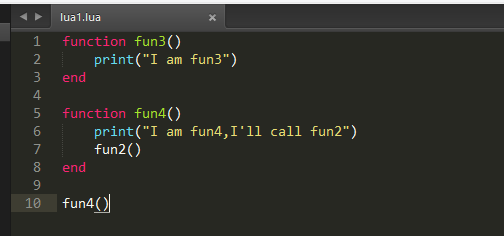
Lua 腳本:
function fun3()
    print("I am fun3, I'll call fun2")
    fun2()  -- 調用 C++ 註冊的 fun2
end

function fun4()
    print("I am fun4")
    fun2()
end

fun4()  -- 主腳本執行入口
基於 虛擬棧 的先進後出特性:
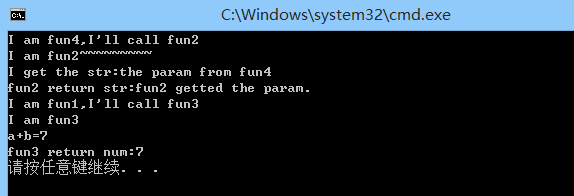
lua_getglobal 取函數 → lua_pushnumber 壓入參數 → lua_pcall(L, nargs, nresults, 0) → lua_tonumber(L, -1) 取返回值lua_State* L → luaL_checkstring(L, 1) 取第 1 參數 → lua_pushstring 壓返回值 → return nresults修改後的 C++ 關鍵片段:
void fun1(lua_State* L) {
    lua_getglobal(L, "fun3");
    lua_pushnumber(L, 2);  // 參數 1
    lua_pushnumber(L, 5);  // 參數 2
    int callError = lua_pcall(L, 2, 1, 0); // 2 參數,1 返回值
    if (!callError) {
        int returnNum = lua_tonumber(L, -1);
        printf_s("fun3 return num: %d\n", returnNum);
    }
}

int fun2(lua_State* L) {
    const char* paramStr = luaL_checkstring(L, 1);
    printf_s("I get the str: %s\n", paramStr);
    lua_pop(L, 1); // 彈出參數
    lua_pushstring(L, "fun2 getted the param.");
    return 1; // 1 個返回值
}
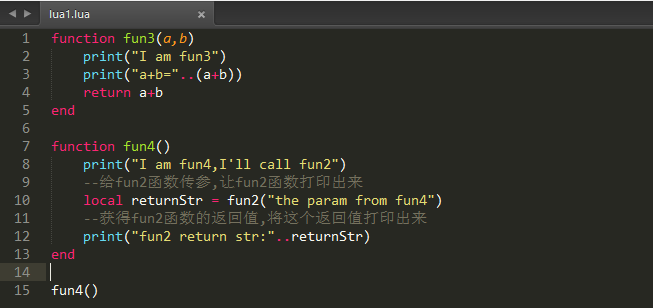
修改後的 Lua 腳本:
function fun3(a, b)
    print("fun3 received:", a, b)
    return a + b
end

function fun4(str)
    print("fun4 received:", str)
    local ret = fun2(str) -- 調用 C++ fun2
    print("fun2 returned:", ret)
end
本文完整演示了 C++ 嵌入 Lua 的全流程:環境搭建 → 腳本加載執行 → 動態代碼編譯 → 雙向函數調用 → 參數/返回值傳遞。掌握棧操作(壓入/彈出/索引)與 lua_pcall 參數含義是核心。後續將介紹 Table、用戶數據、元表等高級交互主題。