Response (伺服器→客戶端) 與 Request (客戶端→伺服器) 是 ASP.NET 處理 HTTP 互動的核心物件。本文透過一個簡單的登入導向範例,說明常用屬性與方法。
Response.Write("字串"):直接輸出文字到頁面。Response.Redirect("URL"):導向新頁面 (HTTP 302),瀏覽器網址列會改變。Response.End():結束頁面執行。Response.ContentType:設定 MIME 類型 (如 application/json)。Request.Form("欄位名"):取得 POST 表單欄位值。Request.QueryString("參數名"):取得 URL 查詢字串參數。Request.Params("名稱"):綜合 Form、QueryString、Cookies、ServerVariables。Request.HttpMethod:取得 "GET" 或 "POST"。<form id="form1" runat="server" method="post">
<div>
<asp:Label ID="lblUser" runat="server" Text="用戶名"></asp:Label>
<asp:TextBox ID="txtUser" runat="server"></asp:TextBox>
</div>
<div>
<asp:Label ID="lblPwd" runat="server" Text="密碼"></asp:Label>
<asp:TextBox ID="txtPwd" runat="server" TextMode="Password"></asp:TextBox>
</div>
<asp:Button ID="btnLogin" runat="server" Text="登入" OnClick="btnLogin_Click" />
</form>protected void btnLogin_Click(object sender, EventArgs e)
{
string user = Request.Form["txtUser"]; // 或 txtUser.Text
string pwd = Request.Form["txtPwd"];
if (user == "admin" && pwd == "1234")
{
// 登入成功,攜帶參數導向主頁
Response.Redirect("Main.aspx?user=" + Server.UrlEncode(user));
}
else
{
Response.Write("<script>alert('登入失敗');</script>");
}
}protected void Page_Load(object sender, EventArgs e)
{
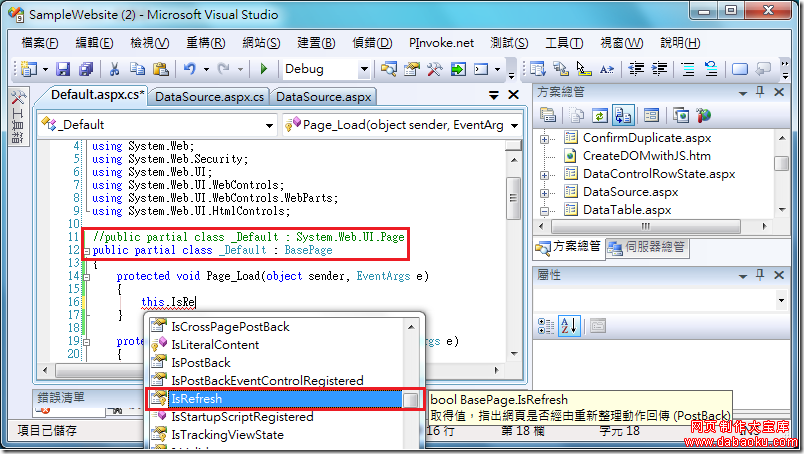
if (!IsPostBack)
{
string user = Request.QueryString["user"];
if (!string.IsNullOrEmpty(user))
{
Response.Write("歡迎 " + Server.HtmlEncode(user) + " 登入系統!");
}
else
{
Response.Redirect("Login.aspx");
}
}
}Request.Form 取得值,驗證通過後 Response.Redirect 攜帶 user 參數導向 Main.aspx。Page_Load 以 Request.QueryString 取得參數並顯示歡迎訊息。Server.HtmlEncode 防 XSS。Server.UrlEncode 編碼。掌握 Request/Response 基本操作,是 ASP.NET 開發的第一步。