$('#file_upload').uploadify({
    'fileSizeLimit': '0',        // 0 = 無限制,或 '100MB'
    'fileTypeDesc': '文件',
    'fileTypeExts': '*.zip; *.rar; *.png',
    // ... 其他配置
});<system.web>
<httpRuntime targetFramework="4.5"
maxRequestLength="1073741824" // 單位:KB,此處為 1GB
executionTimeout="3600" /> // 單位:秒,1小時
</system.web>注意:maxRequestLength 最大約 2GB (2097151 KB),IIS 7+ 仍受 system.webServer 限制。
<system.webServer>
  <security>
    <requestFiltering>
      <requestLimits maxAllowedContentLength="1073741824" />  // 單位:Byte,1GB
    </requestFiltering>
  </security>
</system.webServer>
IIS 7+ 請求過濾模組默認限制 30MB (30000000 Byte),必須顯式調大 maxAllowedContentLength。
| 現象 | 可能原因 | 排查方向 |
|---|---|---|
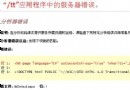
| 上傳大文件報 404 | 請求體超過 maxAllowedContentLength,IIS 直接拒絕 | 檢查 system.webServer/security/requestFiltering |
| 上傳小文件也 404 | Uploadify uploader 路徑錯誤 / 路由未匹配 | 瀏覽器 Network 面板查看實際請求 URL |
| 偶發 404 | 應用程序池回收 / Session 丟失 | 檢查 IIS 日誌、應用程序池閒置超時設置 |
<configuration>
  <system.web>
    <httpRuntime targetFramework="4.5" maxRequestLength="1073741824" executionTimeout="3600" />
  </system.web>
  <system.webServer>
    <security>
      <requestFiltering>
        <requestLimits maxAllowedContentLength="1073741824" />
      </requestFiltering>
    </security>
  </system.webServer>
</configuration>生產環境建議:大文件上傳建議採用分片上傳(如 WebUploader、Plupload、Resumable.js),配合斷點續傳,避免單次大請求導致超時、內存飆升、網絡波動失敗等問題。