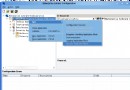
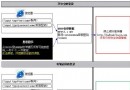
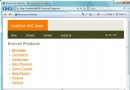
透過 web.config 的 <customErrors> 導向自訂錯誤頁面,在錯誤頁面的 Page_Load 中使用 System.Diagnostics.EventLog 寫入 Application 事件日誌,讓管理員可在事件檢視器即時掌握 404、500 等錯誤,無需翻閱 IIS 日誌。
<customErrors mode="On" defaultRedirect="/EventLog/CustomError.aspx">
    <error statusCode="404" redirect="/EventLog/404.aspx" />
    <error statusCode="403" redirect="/EventLog/403.aspx" />
</customErrors>protected void Page_Load(object sender, EventArgs e)
{
Exception ex = Server.GetLastError();
if (ex != null)
{
string source = "MyWebApp";
if (!EventLog.SourceExists(source))
EventLog.CreateEventSource(source, "Application");
EventLog.WriteEntry(source,
$"URL: {Request.Url}\nError: {ex.Message}\nStack: {ex.StackTrace}",
EventLogEntryType.Error);
}
// 顯示友善錯誤訊息給使用者
}注意: ASP.NET 應用程式集區身分識別需具備「建立事件來源」權限(通常需管理員權限),建議在應用程式啟動時(Global.asax Application_Start)預先建立來源。