系列第四篇,示範 MVC 處理表單輸入/提交的核心模式:產品列表、新增、編輯三大體驗,涵蓋 HTML Helper 表單生成、模型繫結、驗證、PRG 模式與安全性防範 (AntiForgeryToken)。
/Products/Category/{id}/Products/New (GET 顯示表單 / POST 處理提交)/Products/Edit/{id}public class ProductsController : Controller
{
private readonly IProductRepository _repo = new ProductRepository();
// 列表
public ActionResult Category(int id)
{
var products = _repo.GetByCategory(id);
return View(products);
}
// 新增 - GET
public ActionResult New()
{
ViewData["Categories"] = new SelectList(_repo.GetCategories(), "ID", "Name");
return View(new Product()); // 空模型
}
// 新增 - POST
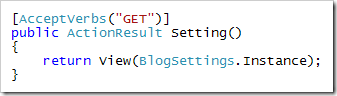
[HttpPost]
[ValidateAntiForgeryToken] // 防 CSRF
public ActionResult New(Product product)
{
if (ModelState.IsValid)
{
_repo.Add(product);
return RedirectToAction("Category", new { id = product.CategoryID }); // PRG 模式
}
ViewData["Categories"] = new SelectList(_repo.GetCategories(), "ID", "Name");
return View(product); // 回傳含驗證錯誤的模型
}
// 編輯 - GET
public ActionResult Edit(int id)
{
var product = _repo.GetById(id);
if (product == null) return HttpNotFound();
ViewData["Categories"] = new SelectList(_repo.GetCategories(), "ID", "Name", product.CategoryID);
return View(product);
}
// 編輯 - POST
[HttpPost]
[ValidateAntiForgeryToken]
public ActionResult Edit(Product product)
{
if (ModelState.IsValid)
{
_repo.Update(product);
return RedirectToAction("Category", new { id = product.CategoryID });
}
ViewData["Categories"] = new SelectList(_repo.GetCategories(), "ID", "Name", product.CategoryID);
return View(product);
}
}<%@ Page Inherits="System.Web.Mvc.ViewPage<Product>" %>
<% using (Html.BeginForm()) { %>
<%= Html.AntiForgeryToken() %> <!-- CSRF 保護 --%>
<fieldset>
<legend>產品資訊</legend>
<div class="editor-label"><%= Html.LabelFor(m => m.Name) %></div>
<div class="editor-field">
<%= Html.TextBoxFor(m => m.Name) %>
<%= Html.ValidationMessageFor(m => m.Name) %>
</div>
<div class="editor-label"><%= Html.LabelFor(m => m.Price) %></div>
<div class="editor-field">
<%= Html.TextBoxFor(m => m.Price) %>
<%= Html.ValidationMessageFor(m => m.Price) %>
</div>
<div class="editor-label"><%= Html.LabelFor(m => m.CategoryID) %></div>
<div class="editor-field">
<%= Html.DropDownListFor(m => m.CategoryID, (SelectList)ViewData["Categories"], "-- 選擇分類 --") %>
</div>
<input type="submit" value="儲存" />
</fieldset>
<% } %>| 模式 | 說明 | 程式碼體現 |
|---|---|---|
| PRG (Post-Redirect-Get) | POST 成功後 Redirect,防止重新整理重複提交 | return RedirectToAction(...) |
| 模型繫結 | 表單欄位自動映射到 Action 參數屬性 | public ActionResult New(Product product) |
| DataAnnotations 驗證 | 模型屬性標註驗證規則,ModelState 自動檢查 | [Required], [Range] 等 |
| HTML Helpers | 強型別產生表單元素,支援驗證訊息顯示 | Html.TextBoxFor, Html.ValidationMessageFor |
| AntiForgeryToken | 防止跨站請求偽造 | [ValidateAntiForgeryToken] + Html.AntiForgeryToken() |