系列第二篇,手把手建立 MVC 專案第一個頁面:清理預設檔案 → 建立 HomeController → 實作 Index Action → 對應 View 呈現分類列表。確立「Controller 準備資料、View 呈現」核心模式。
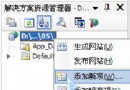
Controllers 資料夾下所有檔案。Views 下除 Shared 與 Web.config 外所有檔案,並清空 Shared。在 Controllers 新增「MVC Controller Class」,命名 HomeController.cs:
using System;
using System.Collections.Generic;
using System.Web.Mvc;
using MVCDemo.Models;
using MVCDemo.Models.Interfaces;
using MVCDemo.Models.Entities;

namespace MVCDemo.Controllers
{
    public class HomeController : Controller
    {
        public ActionResult Index()
        {
            ICategoryService cServ = ServiceBuilder.BuildCategoryService();
            ViewData["Categories"] = cServ.GetAll(); // 傳遞分類清單給 View
            return View("Index"); // 渲染 Views/Home/Index.aspx
        }
    }
}在 Views/Home 建立 Index.aspx:
<%@ Page Language="C#" Inherits="System.Web.Mvc.ViewPage<IEnumerable<CategoryInfo>>" %>
<%@ Import Namespace="MVCDemo.Models.Entities" %>

<h2>公告分類</h2>
<ul>
<% foreach (var cat in Model) { %>
    <li><%= Html.ActionLink(cat.Name, "List", "Announce", new { id = cat.ID }, null) %></li>
<% } %>
</ul>Model、ViewData、HtmlHelper 產生 HTML。Views/{ControllerName}/{ActionName}.aspx,return View() 即可自動尋找。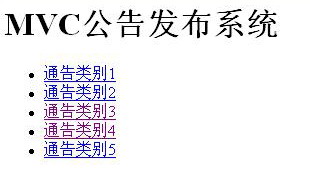
本系列使用 Mock 服務層 (ServiceBuilder.BuildCategoryService()) 回傳記憶體資料,專注 MVC 架構學習,不涉及資料庫細節。真實專案中替換為實際 BLL/DAL 實作即可。
第三篇將從全局視角解析路由機制,第四篇處理表單提交與模型繫結。