利用免費 ASP.NET 虛擬主機的長期運行特性,結合 139 郵箱的郵件轉簡訊功能,打造零成本、全天候的個人化天氣預報推播系統。本文完整記錄架構設計、關鍵技術點與避坑指南。
排程觸發 (Global.asax 背景執行緒)
    ↓
呼叫氣象 API 取得預報資料
    ↓
組裝郵件內容(主旨 ≤ 70 字 / 內文 ≤ 250 字)
    ↓
SMTP 發送至 139 郵箱 (手機號@139.com)
    ↓
139 郵箱自動轉發簡訊至手機
public class Global : HttpApplication
{
    private static Timer _timer;
    private static readonly object _lock = new object();

    protected void Application_Start()
    {
        // 每日固定時間觸發(如早上 7:00)
        var now = DateTime.Now;
        var target = new DateTime(now.Year, now.Month, now.Day, 7, 0, 0);
        if (now > target) target = target.AddDays(1);

        var dueTime = target - now;
        _timer = new Timer(SendWeatherReport, null, dueTime, TimeSpan.FromDays(1));
    }

    private void SendWeatherReport(object state)
    {
        lock (_lock) // 防止重入
        {
            try
            {
                var weather = WeatherService.GetForecast("台北市");
                var subject = $"【天氣】{DateTime.Today:MM/dd} {weather.Summary}";
                var body = $"{weather.Detail}\n溫度:{weather.Min}°C~{weather.Max}°C 降雨:{weather.PoP}%";

                EmailHelper.Send("your_139@139.com", subject, body);
                Log.Info($"天氣推播成功: {subject}");
            }
            catch (Exception ex)
            {
                Log.Error("天氣推播失敗", ex);
            }
        }
    }

    protected void Application_End()
    {
        _timer?.Dispose();
    }
}
public static class EmailHelper
{
    public static void Send(string to, string subject, string body)
    {
        using (var client = new SmtpClient("smtp.gmail.com", 587))
        {
            client.Credentials = new NetworkCredential("your@gmail.com", "app_password");
            client.EnableSsl = true;

            using (var mail = new MailMessage("your@gmail.com", to, subject, body))
            {
                mail.IsBodyHtml = false;
                client.Send(mail);
            }
        }
    }
}
| 問題 | 解決方案 |
|---|---|
| 虛擬主機回收應用程式池導致排程停止 | 設定定時 Ping 首頁保持喚醒;或升級付費方案 |
| SMTP 發送被封鎖/進垃圾郵件 | 使用 Gmail 應用程式密碼;設定 SPF/DKIM;避免高頻發送 |
| 中文編碼亂碼 | MailMessage.SubjectEncoding = BodyEncoding = Encoding.UTF8 |
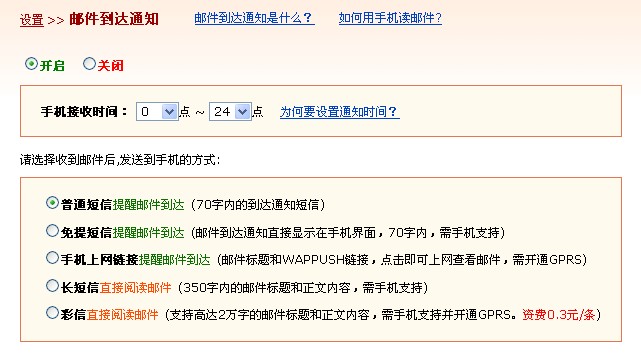
| 簡訊未收到 | 確認 139 設定「免費版簡訊」啟用;檢查手機攔截;主旨勿含特殊符號 |
完整專案包含:Global.asax、WeatherService、EmailHelper、Log4Net 設定、Web.config 轉換範例。歡迎至 GitHub 下載,若發現 Bug 請提 Issue 或來信交流。
這個專案雖小,卻完整串聯了排程、外部 API、郵件、行動推播等實戰技能,是驗證 ASP.NET 主機可靠性與練習雲端部署的絕佳切入點。