真實項目中常將 Models、Views、Controllers 拆分為獨立組件:
MyMvc.Web — Views、靜態資源、啟動配置MyMvc.Controllers — Controller、Action、FilterMyMvc.Models — Domain、DTO、Service 接口MyMvc.Data — Repository、EF/Dapper 實現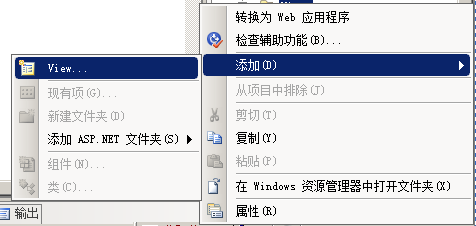
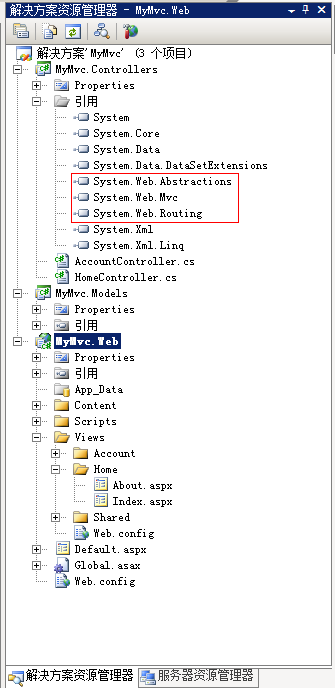
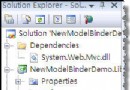
Controllers 專案右鍵無「添加視圖」選項,Scaffold 模板未識別為 MVC 專案。
Scaffold 功能依賴專案類型 GUID({F85E285D-A4E0-4152-9332-AB1D724D3325})與 System.Web.Mvc 引用的雙重檢測。單純類庫專案不具備此標識。
<ProjectTypeGuids>{F85E285D-A4E0-4152-9332-AB1D724D3325};{FAE04EC0-301F-11D3-BF4B-00C04F79EFBC}</ProjectTypeGuids><Reference Include="System.Web.Mvc, Version=1.0.0.0, Culture=neutral, PublicKeyToken=31bf3856ad364e35" /><configuration>
<configSections>
<sectionGroup name="system.web.webPages.razor" ...> ... </sectionGroup>
</configSections>
<system.web.webPages.razor>
<host factoryType="System.Web.Mvc.MvcWebRazorHostFactory, System.Web.Mvc" />
</system.web.webPages.razor>
</configuration>重啟 VS 後,Controllers 專案右鍵出現「添加視圖」「添加控制器」,Scaffold 完全可用。