MSMQ 支援 7 層優先級 (MessagePriority 列舉),常用 Highest、Normal。設定方式:
System.Messaging.Message message = new System.Messaging.Message();
message.Priority = MessagePriority.Highest;
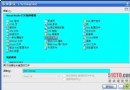
介面提供訊息名稱、優先級勾選、內容三個輸入項。發送時根據勾選決定優先級:
private void btnSend_Click(object sender, EventArgs e) {
    MessageQueue myQueue = new MessageQueue(@".\private$\myQueue");
    System.Messaging.Message message = new System.Messaging.Message();
    message.Label = tbName.Text;
    message.Body = tbContext.Text;
    if (cbPriority.Checked) message.Priority = MessagePriority.Highest;
    else message.Priority = MessagePriority.Normal;
    myQueue.Send(message);
    MessageBox.Show("成功發送訊息到佇列");
}
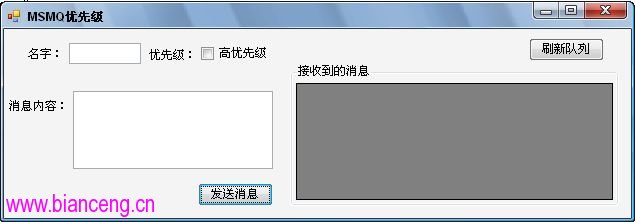
優先級僅影響佇列內排序,不保證絕對送達順序。高優先級訊息會插在同優先級之前,但低優先級訊息若已在傳輸中不會被插隊。