WinForm 專案播放背景音樂有多種方案,各有優缺點。本文整理四種常見做法並提供程式碼片段。
using System.Runtime.InteropServices;
class Audio {
    [DllImport("winmm.dll")]
    public static extern bool PlaySound(string filename, int hmod, int flags);
    public void Play() { PlaySound(@"d:\qm.wav", 0, 1); }
}
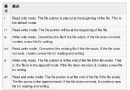
1 (SND_SYNC) 同步播放,9 (SND_ASYNC | SND_LOOP) 非同步循環。
System.Media.SystemSounds.Asterisk.Play();
System.Media.SystemSounds.Beep.Play();
// Exclamation, Hand, Question 等
var sp = new System.Media.SoundPlayer();
sp.SoundLocation = @"D:\10sec.wav";
sp.PlayLooping();  // 循環播放
using System.Runtime.InteropServices;
class Media {
    [DllImport("winmm.dll")]
    static extern uint mciSendString(string cmd, string ret, uint retLen, uint hwnd);
    public void PlayMp3() {
        mciSendString("close temp_alias", null, 0, 0);
        mciSendString(@"open ""E:\Music\青花瓷.mp3"" alias temp_alias", null, 0, 0);
        mciSendString("play temp_alias repeat", null, 0, 0);
    }
}
axWindowsMediaPlayer 到表單,設定 URL 屬性。
private void axWindowsMediaPlayer1_PlayStateChange(object sender, AxWMPLib._WMPOCXEvents_PlayStateChangeEvent e) {
    if (e.newState == (int)WMPLib.WMPPlayState.wmppsMediaEnded) {
        new Thread(() => {
            axWindowsMediaPlayer1.URL = @"E:\Music\SomeOne.avi";
            axWindowsMediaPlayer1.Ctlcontrols.play();
        }).Start();
    }
}
| 需求 | 推薦方案 |
|---|---|
| 簡單 WAV 提示音 | SoundPlayer 或 SystemSounds |
| 背景音樂循環 (MP3) | MCI 或 WMP COM |
| 完整播放控制 (進度、音量、清單) | WMP COM |
| 跨平台 / .NET Core | NAudio、MediaPlayerElement (UWP) 等托管庫 |