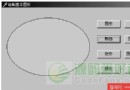
呼叫 SetWindowRgn(hWnd, hRgn, bRedraw) 將視窗裁剪為指定 區域 (HRGN)。區域可由三種 API 建立:
| API | 形狀 | 關鍵參數 |
|---|---|---|
CreateRoundRectRgn | 圓角矩形 | 左、上、右、下、圓角寬、圓角高 |
CreateEllipticRgn | 橢圓形 | 左、上、右、下 (外接矩形) |
CreatePolygonRgn | 多邊形/星形 | 頂點陣列、頂點數、填充模式 (WINDING/ALTERNATE) |
unit Form_Statue;
interface
uses Windows, Messages, SysUtils, Classes, Graphics, Controls, Forms, Dialogs,
  StdCtrls, ExtCtrls, Spin;

type
  TForm1 = class(TForm)
    Button1, Button2, Button3, Button4: TButton;
    SpinEdit1: TSpinEdit;
    Panel1: TPanel;
    procedure DrawRndRectRegion(Wnd: HWND; Rect: TRect);
    procedure DrawEllipticRegion(Wnd: HWND; Rect: TRect);
    procedure DrawPolygonRegion(Wnd: HWND; Rect: TRect; NumPoints: Integer; DoStar: Boolean);
    procedure Button1Click(Sender: TObject); // 圓角矩形
    procedure Button2Click(Sender: TObject); // 多邊形
    procedure Button3Click(Sender: TObject); // 橢圓形
    procedure Button4Click(Sender: TObject); // 星形 (Panel)
  private
    Rgn: HRGN;
    Rect: TRect;
  public
  end;

implementation

procedure TForm1.DrawRndRectRegion(Wnd: HWND; Rect: TRect);
begin
  Rgn := CreateRoundRectRgn(Rect.Left, Rect.Top, Rect.Right, Rect.Bottom, 30, 30);
  SetWindowRgn(Wnd, Rgn, True);
end;

procedure TForm1.DrawEllipticRegion(Wnd: HWND; Rect: TRect);
begin
  Rgn := CreateEllipticRgn(Rect.Left, Rect.Top, Rect.Right, Rect.Bottom);
  SetWindowRgn(Wnd, Rgn, True);
end;

procedure TForm1.DrawPolygonRegion(Wnd: HWND; Rect: TRect; NumPoints: Integer; DoStar: Boolean);
const
  RadConvert = Pi / 180;
  Degrees = 360;
  MaxLines = 100;
var
  X, Y, XCenter, YCenter, Radius, Pts, I: Integer;
  Angle, Rotation: Extended;
  ArPts: array[0..MaxLines] of TPoint;
begin
  XCenter := (Rect.Right - Rect.Left) div 2;
  YCenter := (Rect.Bottom - Rect.Top) div 2;
  if DoStar then begin
    Rotation := Degrees / (2 * NumPoints);
    Pts := 2 * NumPoints;
  end else begin
    Rotation := Degrees / NumPoints;
    Pts := NumPoints;
  end;
  Radius := YCenter;
  for I := 0 to Pts - 1 do begin
    if DoStar then
      if (I mod 2) = 0 then Radius := Round(Radius / 2) else Radius := YCenter;
    Angle := ((I * Rotation) + 90) * RadConvert;
    X := XCenter + Round(Cos(Angle) * Radius);
    Y := YCenter - Round(Sin(Angle) * Radius);
    ArPts[I].X := X; ArPts[I].Y := Y;
  end;
  Rgn := CreatePolygonRgn(ArPts, Pts, WINDING);
  SetWindowRgn(Wnd, Rgn, True);
end;

procedure TForm1.Button1Click(Sender: TObject);
begin DrawRndRectRegion(Form1.Handle, Form1.ClientRect); end;

procedure TForm1.Button2Click(Sender: TObject);
begin DrawPolygonRegion(Panel1.Handle, Panel1.BoundsRect, SpinEdit1.Value, False); end;

procedure TForm1.Button3Click(Sender: TObject);
begin DrawEllipticRegion(Form1.Handle, Form1.ClientRect); end;

procedure TForm1.Button4Click(Sender: TObject);
begin DrawPolygonRegion(Panel1.Handle, Panel1.BoundsRect, SpinEdit1.Value, True); end;

end.
SetWindowRgn 第三參數 True 觸發立即重繪CreatePolygonRgn 需按順序提供頂點,**自動閉合**掌握 CreateRoundRectRgn/CreateEllipticRgn/CreatePolygonRgn + SetWindowRgn 組合,即可輕鬆實現圓角、橢圓、多邊形、星形等任意異形視窗。程式碼簡潔、效能佳、適用於所有 VCL 控件,是 Delphi 視覺特效開發的經典技法。