屬性是元件最顯著的特徵,設計時可在物件檢視器直接操作,即時回饋。對使用者如同變數般讀寫;對編寫者則具備更強能力:
屬性型別可為任意函數回傳型別。物件檢視器依型別決定編輯方式:
| 型別 | 呈現方式 |
|---|---|
| 簡單型別 | 數值、字元、字串直接編輯 |
| 列舉型別 | 下拉式清單選擇 |
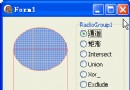
| 集合型別 | 展開為項目清單,逐項 True/False |
| 物件型別 | 展開子屬性編輯(需繼承 TPersistent) |
| 陣列型別 | 需自訂屬性編輯器,無內建支援 |
亦可於註冊時指定專用編輯器。
繼承自抽象基類(如 TWinControl)的屬性多為 protected 或 public。若需設計時可見,於子類別 published 區重宣告屬性名即可提升存取層級:
type
  TSampleComponent = class(TWinControl)
  published
    property Ctl3D; { 原為 protected,現可於設計時存取 }
end;需指定:屬性名稱、型別、讀/寫方法。至少置於 public 區供執行期存取;設計時編輯需置於 published。典型結構:
type
  TYourComponent = class(TComponent)
  private
    FCount: Integer;
    function GetCount: Integer;
    procedure SetCount(ACount: Integer);
  public
    property Count: Integer read GetCount write SetCount;
end;F 開頭(如 FWidth)private 區最簡單方式:read/write 直接指向欄位。常見模式:read 直接存取,write 呼叫方法以觸發狀態更新。
property ReadOnly: Boolean read FReadOnly write FReadOnly;讀方法:無參數函數,回傳屬性型別值,命名慣例 Get+屬性名。
寫方法:單參數程序,參數為新值,命名慣例 Set+屬性名。建議先比較新舊值,僅在不同才更新並觸發副作用:
procedure TMyComponent.SetCount(Value: Integer);
begin
  if Value <> FCount then
  begin
    FCount := Value;
    Update; { 觸發重繪或其他副作用 }
  end;
end;