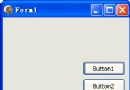
DDEClientConv1、DDEClientItem1:建立/維護 DDE 聯接RadioGroup + AutoRadio/ManualRadio:設置聯接模式GroupBox + RequestBtn/PokeBtn:控制數據請求/發送(自動模式下 RequestBtn 禁用)Memo1:保存 DDE 數據PasteBtn:粘貼聯接信息建立 DDE 聯接CloseBtn:關閉系統設計時:FormatChars=True(保留服務器數據顯示格式),ConnectMode=ddeAutomatic(默認)。
類 TForm1 私有成員:Automatic: Boolean(聯接模式標誌)、DDEService/DDETopic/DDEItem(聯接信息)。
procedure TForm1.FormCreate(Sender: TObject);
begin
  RequestBtn.Enabled := False;
  AutoRadio.Checked := True;
  Automatic := True;
end;

// 自動 → 手動
procedure TForm1.ManualRadioClick(Sender: TObject);
begin
  if Automatic then
  begin
    RequestBtn.Enabled := ManualRadio.Checked;
    DDEClientConv1.ConnectMode := ddeManual;
    Automatic := False;
  end;
end;

// 手動 → 自動
procedure TForm1.AutoRadioClick(Sender: TObject);
begin
  if not Automatic then
  begin
    RequestBtn.Enabled := ManualRadio.Checked;
    if (DDEService = '') or (DDETopic = '') then
    begin
      MessageDlg('Can not Set Link.', mtWarning, [mbOK], 0); Exit;
    end;
    DDEClientConv1.SetLink(DDEService, DDETopic);
    DDEClientItem1.DdeConv := DDEClientConv1;
    DDEClientItem1.DDEItem := DDEItem;
    DDEClientConv1.ConnectMode := ddeAutomatic;
    Automatic := True;
  end;
end;
自動→手動只需修改屬性;手動→自動必須調用 SetLink 重建聯接,否則易引發 DDE 異常。
procedure TForm1.PasteBtnClick(Sender: TObject);
begin
  if GetPasteLinkInfo(DDEService, DDETopic, DDEItem) then
  begin
    DDEClientConv1.SetLink(DDEService, DDETopic);
    if Automatic then
    begin
      DDEClientItem1.DdeConv := DDEClientConv1;
      DDEClientItem1.DDEItem := DDEItem;
    end;
  end;
end;GetPasteLinkInfo(DDEMan 單元)檢測剪貼板聯接信息並返回服務/主題/項目。
手動模式下 DDEClientItem 多余,數據用字符串記錄。RequestBtnClick:
procedure TForm1.RequestBtnClick(Sender: TObject);
var TheData: PChar;
begin
  if DDEItem = '' then begin MessageDlg('Can not Request Data', mtWarning, [mbOK], 0); Exit; end;
  TheData := StrAlloc(79);
  DDEClientConv1.OpenLink;
  TheData := DDEClientConv1.RequestData(DDEItem);
  DDEClientConv1.CloseLink;
  if TheData <> nil then Memo1.Text := StrPas(TheData);
  StrDispose(TheData);
end;OpenLink/CloseLink 打開/關閉聯接;RequestData 返回 PChar,須顯式分配/釋放內存。
procedure TForm1.PokeBtnClick(Sender: TObject);
begin
  if DDEItem = '' then begin MessageDlg('Can not Poke Data.', mtWarning, [mbOK], 0); Exit; end;
  if Automatic then
    DDEClientConv1.PokeDataLines(DDEItem, Memo1.Lines)
  else
  begin
    DDEClientConv1.OpenLink;
    DDEClientConv1.PokeDataLines(DDEItem, Memo1.Lines);
    DDEClientConv1.CloseLink;
  end;
end;
手動模式額外增加 OpenLink/CloseLink。
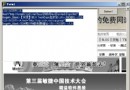
Paste Link 建立 DDE 聯接,數據顯示於 Memo1