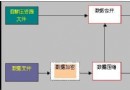
複雜項目開發中系統安全性評估難以獲得客觀全面的值,採用多角度、多側面評估後定量集成。定義記錄類型:
type
  TNature = (Micro, Macro);  // 方法性質:微觀/宏觀
  TMethod = Record
    Name: string[20];        // 方法名
    Condition: string[40];   // 適用條件
    Nature: TNature;         // 方法性質
    Result: Real;            // 評估值
  end;
每種方法為一條記錄,每個方法集為一個記錄文件,需支持動態管理。
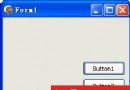
核心功能:文件打開/創建/關閉/顯示、記錄增刪改、結果綜合顯示。採用兩組按鈕分離文件與記錄操作,StringGrid 顯示文件內容,唯讀編輯框 HazAttr 顯示綜合結果。
| 部件名稱 | 關鍵屬性 | 功能備註 |
|---|---|---|
| RecFileForm | BorderStyle=bsDialog Position=poScreenCenter | 文件打開後標題附加文件名 |
| StringGrid1 | 動態確定大小行數 | 顯示文件記錄 |
| HazAttr | ReadOnly=True | 顯示綜合結果 |
| OpenButton | Caption='打開' | 打開記錄文件,不存在則創建 |
| NewButton | Caption='創建' | 創建記錄文件,存在則打開 |
| CloseButton | Caption='關閉' | 關閉已打開文件 |
| AddButton | Caption='增加' | 增加一條記錄 |
| ModifyButton | Caption='修改' | 修改一條記錄 |
| DeleteButton | Caption='刪除' | 刪除一條記錄 |
| CalcuButton | Caption='計算' | 計算並顯示最終結果 |
| ExitButton | Caption='退出' | 系統終止,若有文件打開則先關閉 |
| OpenDialog1 | Filter='Record File(*.Rec)|*.Rec|Any File(*.*)|*.*' | 選擇/輸入欲打開文件 |
另需編輯對話框,含四個編輯框對應 TMethod 四個字段。定義全局變量協調運行:
| 變量名 | 類型 | 作用 |
|---|---|---|
| MethodFile | MethodFileType | 當前打開文件變量 |
| FileName | string[70] | 當前文件名 |
| Count | Integer | 記錄總數 |
| CurrentRec | Integer | 當前處理記錄號 |
| FileOpened | Boolean | 是否有文件打開,控制按鈕啟用/變灰 |
MethodFileType = file of TMethod。
記錄文件打開需「關聯」與「初始化」兩步,同文本文件但無 Append。缺省讀寫方式打開,若需只讀/只寫需修改 FileMode(0=只讀、1=只寫、2=讀寫),屬全局變量,用後須還原。
AssignFile 關聯,嘗試 Reset 打開Rewrite 創建新文件procedure TRecFileForm.OpenButtonClick(Sender: TObject);
begin
if OpenDialog1.Execute then FileName := OpenDialog1.FileName else Exit;
AssignFile(MethodFile, FileName);
try
Reset(MethodFile);
FileOpened := True;
except
on EInOutError do
begin
try
if not FileExists(FileName) then
begin
Rewrite(MethodFile);
FileOpened := True;
end
else
begin
FileOpened := False;
MessageDlg('文件不能打開', mtWarning, [mbOK], 0);
end;
except
on EInOutError do
begin
FileOpened := False;
MessageDlg('文件不能創建', mtWarning, [mbOK], 0);
end;
end;
end;
end;
if not FileOpened then Exit;
Count := FileSize(MethodFile);
if Count > 0 then ChangeGrid;
RecFileForm.Caption := FormCaption + ' -- ' + FileName;
NewButton.Enabled := False;
OpenButton.Enabled := False;
CloseButton.Enabled := True;
end;彈出輸入框獲取文件名,檢測存在性:存在則 Reset 打開,不存在則 Rewrite 創建。異常時重置 FileName 與 FileOpened。
procedure TRecFileForm.NewButtonClick(Sender: TObject);
begin
  FileName := InputBox('輸入框', '請輸入文件名', '');
  if FileName = '' then Exit;
  try
    AssignFile(MethodFile, FileName);
    if FileExists(FileName) then
    begin
      Reset(MethodFile);
      Count := FileSize(MethodFile);
      if Count > 0 then ChangeGrid;
    end
    else
    begin
      Rewrite(MethodFile);
      Count := 0;
    end;
    FileOpened := True;
  except
    on EInOutError do
    begin
      FileName := '';
      FileOpened := False;
    end;
  end;
  if FileOpened then
  begin
    NewButton.Enabled := False;
    OpenButton.Enabled := False;
    CloseButton.Enabled := True;
    RecFileForm.Caption := FormCaption + ' -- ' + FileName;
  end;
end;StringGrid1異常處理機制不僅增強健壯性,更為編程提供了靈活性(詳見第十二章)。