| 旗標 | 效果 |
|---|
| AW_HOR_POSITIVE | 從左向右滑入 |
| AW_HOR_NEGATIVE | 從右向左滑入 |
| AW_VER_POSITIVE | 從上向下滑入 |
| AW_VER_NEGATIVE | 從下向上滑入(MSN 風格) |
| AW_HIDE | 隱藏視窗(搭配方向旗標呈現滑出效果) |
| AW_BLEND | 淡入淡出(不支援標題列視窗) |
實作步驟
1. 建立提示視窗表單 (Form2)
- BorderStyle := bsNone:移除邊框與標題列
- 放置 Panel (Align=alClient, BevelInner=bvLowered) 作為背景
- Panel 內自由放置 Label、Image 等顯示訊息內容
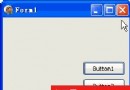
2. 重寫 Show / Close 方法整合動畫
unit Unit2;

interface
uses Windows, Messages, SysUtils, Variants, Classes, Graphics, Controls, Forms,
  Dialogs, ExtCtrls, StdCtrls;

type
  TForm2 = class(TForm)
    Panel1: TPanel;
    Image1: TImage;
    Label1: TLabel;
    procedure Label1Click(Sender: TObject);
    procedure Image1Click(Sender: TObject);
  private
  public
    procedure Show; override;
    procedure Close; override;
  end;

var Form2: TForm2;

implementation

procedure TForm2.Close;
begin
  // 向下滑出並隱藏 (AW_VER_POSITIVE + AW_HIDE)
  if not AnimateWindow(Handle, 200, AW_VER_POSITIVE or AW_HIDE) then
    ShowMessage('視窗關閉動畫失敗');
  inherited Close;
end;

procedure TForm2.Show;
begin
  // 設定初始位置:螢幕右下角附近 (需依解析度微調)
  Top := Screen.Height - Height - 50;  // 距離底部 50px
  Left := Screen.Width - Width - 20;   // 距離右側 20px

  // 從下向上滑入 (AW_VER_NEGATIVE)
  if not AnimateWindow(Handle, 200, AW_VER_NEGATIVE) then
    ShowMessage('視窗顯示動畫失敗');
  inherited Show;
end;

{$R *.dfm}
end.
3. 主表單 (Form1) 呼叫示範
放置兩個 Button:Button1.Caption := '顯示提示'、Button2.Caption := '關閉提示'
unit Unit1;
interface
uses Windows, Messages, SysUtils, Variants, Classes, Graphics, Controls, Forms,
  Dialogs, StdCtrls;
type
  TForm1 = class(TForm)
    Button1, Button2: TButton;
    procedure Button1Click(Sender: TObject);
    procedure Button2Click(Sender: TObject);
  end;
var Form1: TForm1; mesfrm: TForm2;
implementation uses Unit2;
{$R *.dfm}

procedure TForm1.Button1Click(Sender: TObject);
begin
  mesfrm := TForm2.Create(Application);
  mesfrm.Show;
end;

procedure TForm1.Button2Click(Sender: TObject);
begin
  if Assigned(mesfrm) then mesfrm.Close;
end;
end.
進階應用建議
- 自動關閉:在 Form2 中加入 Timer,設定
Interval := 5000,OnTimer 執行 Close。
- 多訊息佇列:主表單維護訊息佇列,前一個視窗關閉後自動顯示下一個。
- 點擊穿透/互動:Panel 的
OnClick 可觸發開啟對應聊天視窗或網頁。
- 高 DPI 適配:使用
Screen.WorkAreaHeight/Width 計算位置,支援多螢幕與縮放。
僅需 20 行核心程式碼,即可打造專業級的桌面通知體驗,極大提升應用程式的現代感與使用者互動品質。
- 上一篇文章: Delphi 全面控制 Windows 任務列:隱藏、禁用開始按鈕、系統托盤與時鐘
- 下一篇文章: Delphi TreeView 模擬複選框與單選鈕:以 StateImage 圖示切換實現勾選功能
Copyright ©
程式碼之家 All Rights Reserved