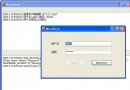
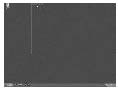
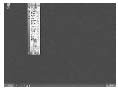
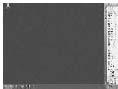
拖曳 QQ 主視窗至螢幕邊緣時,拖曳矩形(虛線框)會在超出瞬間被「吸附」鎖定,釋放滑鼠後視窗自動縮入僅露邊緣條;滑鼠移入條區視窗彈出,移出再隱藏。此行為涉及拖曳階段攔截、工作列避讓、角落閃爍修正、尺寸鎖定等多層邏輯。
LPARAM 指向 RECT(矩形座標),可即時修改限制範圍。ABM_GETTASKBARPOS 取得工作列位置(ABE_TOP/LEFT/RIGHT/BOTTOM)與矩形,計算可用工作區高度/寬度。RECT 不超出螢幕邊界。Left=0、Right=Screen.Width 等),記錄至 FAnchors: TAnchors。SetBarHeight),鎖定垂直座標並 Exit 防止垂直邏輯介入導致閃爍。Lst_W, Lst_H),標記 Rec_Pos。Timer。WindowFromPoint(Mouse.CursorPos) = Handle 判斷滑鼠是否在視窗/觸發區上。Left=0 或 Right=Screen.Width-Width),同步恢復高度。Left=-Width+Offset),保持高度鎖定。FAnchors 含水平邊)強制 RECT 高度等於 Cur_Bottom - Cur_Top,寬度固定,防止使用者拖曳破壞觸發區。SHAppBarMessage 取得工作列狀態與位置,計算 Cur_Top, Cur_Bottom 供隱藏/彈出時使用。procedure TForm1.WMMoving(var Msg: TMessage);
var R: PRect;
begin
inherited;
R := Msg.LParam;
// ... 限制座標、建立 FAnchors ...
// 角落閃爍修正:水平隱藏優先
if (akLeft in FAnchors) or (akRight in FAnchors) then
begin
if (R.Left > 0) and (R.Right < Screen.Width) then // 拖出
begin
if Rec_Pos then begin Width := Lst_W; Height := Lst_H; Rec_Pos := False; end;
end
else // 吸附隱藏
begin
if not Rec_Pos then begin Lst_W := Width; Lst_H := Height; Rec_Pos := True; end;
SetBarHeight;
R.Top := Cur_Top; R.Bottom := Cur_Bottom;
Exit;
end;
end;
Timer1.Enabled := FAnchors <> [];
end;
procedure TForm1.Timer1Timer(Sender: TObject);
const Offset = 10;
begin
if WindowFromPoint(Mouse.CursorPos) = Handle then
begin
if akLeft in FAnchors then Left := 0;
if akRight in FAnchors then Left := Screen.Width - Width;
if akTop in FAnchors then Top := 0;
if akBottom in FAnchors then Top := Screen.Height - Height;
end else
begin
if akLeft in FAnchors then Left := -Width + Offset;
if akRight in FAnchors then Left := Screen.Width - Offset;
if akTop in FAnchors then Top := -Height + Offset;
if akBottom in FAnchors then Top := Screen.Height - Offset;
end;
end;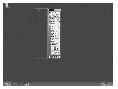
WM_MOVING/SIZING、SHAppBarMessage、計時器輪詢、狀態機設計。DWM 縮圖預覽、AppBar 官方 API 實現類似功能,相容性更佳。