Windows netsh 命令可匯出/匯入網路設定:
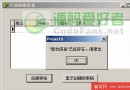
netsh interface dump > netcfg.txt:將目前介面設定 (IP、閘道、DNS、WINS 等) 導出文字檔。netsh -f netcfg.txt:套用設定檔,即時切換網路環境。netsh interface dump 導出目前設定,再手動修正關鍵欄位 (IP、Gateway、DNS) 寫入專屬設定檔 (netcfg1.txt、netcfg2.txt)。WinExec('netsh -f netcfg1.txt', SW_HIDE) 無訊息套用。procedure TForm1.SaveProfile(const ProfileName: string; IsProfile1: Boolean);
var
DumpFile, CfgFile: string;
SL: TStringList;
i: Integer;
Line: string;
begin
DumpFile := 'temp_dump.txt';
CfgFile := IfThen(IsProfile1, 'netcfg1.txt', 'netcfg2.txt');
// 1. 導出目前完整設定
WinExec(PChar('cmd /c netsh interface dump > ' + DumpFile), SW_HIDE);
Sleep(500); // 等待命令完成
// 2. 讀取並替換關鍵欄位
SL := TStringList.Create;
try
SL.LoadFromFile(DumpFile);
for i := 0 to SL.Count - 1 do
begin
Line := SL[i];
if Line.StartsWith('set address') then
Line := Format('set address name="%s" source=static addr=%s mask=%s gateway=%s gwmetric=1',
[edtInterface.Text, edtIP.Text, edtMask.Text, edtGateway.Text])
else if Line.StartsWith('set dnsservers') then
Line := Format('set dnsservers name="%s" source=static addr=%s register=PRIMARY',
[edtInterface.Text, edtDNS.Text]);
SL[i] := Line;
end;
SL.SaveToFile(CfgFile);
finally
SL.Free;
end;
DeleteFile(DumpFile);
end;
procedure TForm1.ApplyProfile(IsProfile1: Boolean);
var
CfgFile: string;
begin
CfgFile := IfThen(IsProfile1, 'netcfg1.txt', 'netcfg2.txt');
if FileExists(CfgFile) then
WinExec(PChar('netsh -f ' + CfgFile), SW_HIDE)
else
ShowMessage('設定檔不存在,請先儲存');
end;procedure TForm1.MaskEditIPExit(Sender: TObject);
var
Parts: TArray;
Octet: Integer;
begin
Parts := MaskEditIP.Text.Split(['.']);
if Length(Parts) <> 4 then RaiseError;
for Octet in Parts do
begin
if not TryStrToInt(Octet, Octet) or (Octet < 0) or (Octet > 255) then
RaiseError;
end;
end; WMI (Win32_NetworkAdapterConfiguration) 或 NetShell API (INetSh) 直接程式化設定,避免命令列解析與權限問題。requireAdministrator)。TComboBox 列舉現有網卡 (GetAdaptersInfo),避免手動輸入介面名稱。