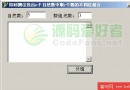
Windows 檔案總管讀取登錄值 NoDrives(HKEY_CURRENT_USER 與 HKEY_LOCAL_MACHINE 下的 Software\Microsoft\Windows\CurrentVersion\Policies\Explorer)決定隱藏哪些磁碟機。該值為位元遮罩,第 0 位對應 A:、第 1 位對應 B:、以此類推。
磁碟機 : A  B  C  D  E  F  G  H  I  J  K  L  M  N  O  P  Q  R  S  T  U  V  W  X  Y  Z
位元位置: 0  1  2  3  4  5  6  7  8  9 10 11 12 13 14 15 16 17 18 19 20 21 22 23 24 25
十進位值: 1 2 4 8 16 32 64 128 256 ... (2^n)範例:隱藏 C: (4) 與 E: (16) → NoDrives = 4 + 16 = 20。
uses Registry;

procedure HideDrives(HideMask: Integer);
var
  Reg: TRegistry;
begin
  Reg := TRegistry.Create;
  try
    // 當前使用者
    Reg.RootKey := HKEY_CURRENT_USER;
    if Reg.OpenKey('Software\Microsoft\Windows\CurrentVersion\Policies\Explorer', True) then
    begin
      Reg.WriteInteger('NoDrives', HideMask);
      Reg.CloseKey;
    end;

    // 本機電腦(需系統管理員權限)
    Reg.RootKey := HKEY_LOCAL_MACHINE;
    if Reg.OpenKey('Software\Microsoft\Windows\CurrentVersion\Policies\Explorer', True) then
    begin
      Reg.WriteInteger('NoDrives', HideMask);
      Reg.CloseKey;
    end;
  finally
    Reg.Free;
  end;
end;

procedure ShowDrives;
var
  Reg: TRegistry;
begin
  Reg := TRegistry.Create;
  try
    // 刪除值即恢復顯示
    Reg.RootKey := HKEY_CURRENT_USER;
    if Reg.OpenKey('Software\Microsoft\Windows\CurrentVersion\Policies\Explorer', True) then
    begin
      Reg.DeleteValue('NoDrives');
      Reg.CloseKey;
    end;

    Reg.RootKey := HKEY_LOCAL_MACHINE;
    if Reg.OpenKey('Software\Microsoft\Windows\CurrentVersion\Policies\Explorer', True) then
    begin
      Reg.DeleteValue('NoDrives');
      Reg.CloseKey;
    end;
  finally
    Reg.Free;
  end;
end;// 隱藏 C: 與 D:
HideDrives(4 + 8); // 12
// 隱藏所有磁碟機
HideDrives($3FFFFFF); // 26 位全 1
// 恢復顯示
ShowDrives;explorer.exe 或重新登入/重啟電腦生效。C:\、命令提示字元、API 存取,非真正存取控制。HKLM 需系統管理員權限(UAC 提升)。User Configuration\Administrative Templates\Windows Components\File Explorer\Hide these specified drives in My Computer 統一管理。若需真正禁止存取,可考慮:
diskpart remove letter=C)。Computer Configuration\Administrative Templates\System\Removable Storage Access。