 Android TextView 動態高度適配:移除 maxLines 限制與滾動方案
問題原因 XML 設置 android:maxLines=4 硬性限制顯示行數,超出部分被截斷或隱藏。 方案一:移除 maxLines,自動撐開 <Te
Android SharedPreferences 正確讀寫:命名文件與編輯器模式
錯誤代碼 SharedPreferences pref = getPreferences(MODE_WORLD_WRITEABLE); pref.edit().
Android 防止 Activity 重複啟動:啟動模式與 Flag 詳解
場景 標題頁被多個分支頁返回,每次返回都創建新實例,導致棧中存在多個標題頁。 方案一:Manifest 設置 launchMode <activity
Android ImageButton 狀態圖片不變化:Selector 配置檢查清單
常見原因排查 未設置 clickable:android:clickable=true 或代碼 btn.setClickable(true),否則不觸發
Android Toast 不顯示:缺少 .show() 調用
錯誤代碼 Toast.makeText(this, Alarm time up, Toast.LENGTH_LONG); // 僅創建,未顯示 修正 Toa
Android AutoCompleteTextView 選項點擊監聽:用 OnItemClickListener 而非 OnItemSelectedListener
錯誤嘗試 autoCompleteTextView.setOnItemSelectedListener(new OnItemSelectedListener()
Android TableLayout 編輯框顯示異常:stretchColumns 解決列寬問題
問題 TableRow 中 EditText 輸入文字不顯示,疑似列寬為 0。 原因 TableLayout 默認不自動分配列寬,第二列(EditText 所
iOS ABPeoplePickerNavigationController 導航欄顏色定製
基本設置 ABPeoplePickerNavigationController *picker = [[ABPeoplePickerNavigationCont
Android ProgressDialog 點擊外部自動消失:setCancelable 控制
現象 Android 4.0+ 點擊 Activity 空白處,ProgressDialog 自動消失;2.3 不會。 解決 ProgressDialog d
Android Activity 菜單項點擊無響應:缺少 onOptionsItemSelected
問題代碼 // 僅在 onCreateOptionsMenu 膨脹菜單 @Override public boolean onCreateOptionsMenu
Android 動態設置 TextView 顏色:getColor 而非資源 ID
錯誤代碼 textView.setBackgroundColor(R.color.white); // 錯誤:傳入資源 ID,非顏色值 textVie
 Android TextView 顯示 HTML 內容:Html.fromHtml 使用指南
簡單用法 String html = <h2>Title</h2><br><p>Description here
iOS Block 捕獲實例變量:__block 與 Block_copy 正確用法
問題代碼 age); // EXC_BAD_ACCESS }; Block_copy(bb); // 錯誤:未賦值給變量 原因分析 bb 是棧上的 B
Android AlertDialog 確認刪除對話框標準實作
刪除操作需二次確認,標準做法使用 AlertDialog.Builder 建立含「確認/取消」按鈕的對話框,點擊確認執行刪除邏輯。 標準實作 {
Android EditText 結合 phone 輸入類型與 password 遮罩顯示
需求:輸入電話號碼時顯示數字鍵盤(inputType=phone),同時字元以密碼圓點遮罩顯示(inputType=textPassword)。兩者屬不同 In
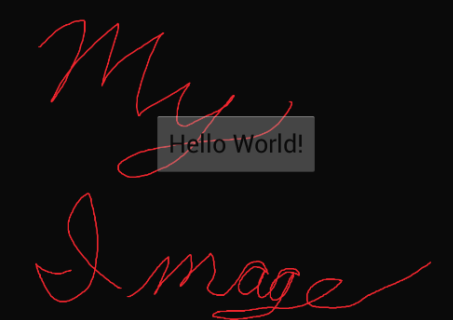 Android XML 佈局 Button 覆蓋 ImageView 透明度問題:背景色設定
RelativeLayout 中 Button 預設背景含透明度(Material Design 狀態列表動畫),導致底下 ImageView 透出。解決方法:
Android 建立無標題 Dialog:AlertDialog.Builder + 自訂佈局最佳實踐
Dialog 預設含標題區,即使不設標題仍佔據空間。若需完全無標題的自訂對話框,應使用 AlertDialog.Builder 並呼叫 setView() 設定
Android Fragment 中 findViewById 作用域錯誤:視圖繫結正確寫法
Fragment 中 findViewById 必須在 onCreateView 返回的根視圖 View 上呼叫,而非直接在 Fragment 實例上(Frag


