 iOS UITableView numberOfRowsInSection:陣列元素需轉換為 NSInteger
錯誤代碼 - (NSInteger)tableView:(UITableView *)tableView numberOfRowsInSection:(NSIn
Android Fragment 佈局載入:重寫 onCreateView 而非 onCreate 呼叫 setContentView
錯誤 Fragment 中呼叫 setContentView(R.layout.xxx) 編譯錯誤:Fragment 沒有此方法。 正確生命週期 @Overr
iOS UINavigationController pushViewController:確保當前 VC 在導航堆疊中
常見失敗原因 當前 ViewController 不在 Navigation Controller 堆疊中:直接 present 或從 Storyboard
iOS 格式化浮點數輸出:%2.f 導致小數截斷,應用 %f 或 %.2f
問題代碼 label1.text = [NSString stringWithFormat:@%2.f, num]; // 錯誤格式 格式字串解析 %2.f
iOS Application Support 目錄建立子目錄:需設定 withIntermediateDirectories:YES
問題 在 NSApplicationSupportDirectory 建立 drawings 子目錄失敗,createDirectoryAtPath:withI
Android 從資源名稱獲取資源 ID:用 getResources().getIdentifier()
問題 資料庫儲存字串 R.drawable.logo,嘗試 Integer.parseInt(logo) 拋 NumberFormatException。 原
Android 顯示手機 IMEI 號碼:獲取裝置 ID 並更新 UI
核心代碼 TelephonyManager tm = (TelephonyManager) getSystemService(Context.TELEPHONY
 iOS UINavigationItem 右側多個按鈕:用自訂 UIView 容器
需求 導航列右側已有一個按鈕,需再加一個並排顯示。 解決方案:自訂 UIView 包含多個 UIButton UIView *container = [[UI
iOS 地圖導航:從當前位置到大頭針繪製路線
方案一:啟動 Google Maps App(最簡單) CLLocationCoordinate2D start = {currentLat, currentL
Android 發送 JSON 參數:正確組裝表單欄位而非巢狀 JSON
問題 伺服器端期望 $.post(url, {param: jsonString}),Android 端嘗試將所有欄位包成一個 JSON 物件作為 param
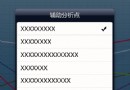 iOS UIPopoverController 自訂工具列按鈕:在 contentViewController 中加入 UISegmentedControl
架構說明 UIPopoverController 本身無視圖,其內容由 contentViewController 提供。工具列按鈕應放在該 contentVi
Android AsyncHttpClient 請求無回應:需使用 IP 位址而非域名
現象 使用 AsyncHttpClient 請求 https://www.baidu.com,onSuccess 回調從未觸發。 可能原因與排查 網路權限:
Android onActivityResult 後 setText 無效:使用 runOnUiThread 確保主執行緒更新
現象 onActivityResult 中取得資料,Log 正常顯示,但 tv.setText(...) 介面不更新。 原因 onActivityResult
MyEclipse 9.0 開啟視覺化設計介面:雙擊 .form 檔案而非 .java
現象 導入專案後,雙擊 .java 檔案只顯示原始碼,無法切換到「Design」視覺化設計頁籤。 解決方法 在 Package Explorer 中找到對應
 Android Handler 更新 UI 執行緒錯誤:sendMessage vs handleMessage
錯誤代碼 TimerTask tt = new TimerTask() { public void run() { Message ms
iOS Unrecognized Selector setRefreshControl:SDK 版本與 @synthesize 不匹配
錯誤訊息 -[MasterViewController setRefreshControl:]: unrecognized selector sent to i
iOS UIImagePickerController 拍照後儲存到相簿:實現代理方法
缺少關鍵步驟 僅設定 sourceType = Camera 並呈現選取器,拍照完成後若未實現代理方法,圖片不會自動存入相簿。 完整實現 // 1. 遵守協議
iOS 開發:如何正確檢測與釋放已加入的子視圖
問題場景 在舊版 Objective-C 專案(手動參考計數 MRC 環境)中,開發者常需動態向 UIScrollView 添加大量子視圖控制器的 view,並


