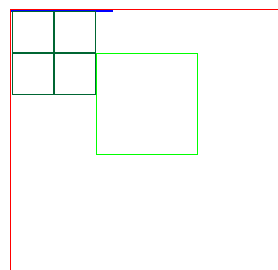
導航列右側已有一個按鈕,需再加一個並排顯示。
UIView *container = [[UIView alloc] initWithFrame:CGRectMake(0, 0, 100, 44)];

UIButton *btn1 = [UIButton buttonWithType:UIButtonTypeCustom];
btn1.frame = CGRectMake(0, 2, 30, 40);
[btn1 setImage:[UIImage imageNamed:@"icon1"] forState:UIControlStateNormal];
[btn1 addTarget:self action:@selector(action1) forControlEvents:UIControlEventTouchUpInside];
[container addSubview:btn1];

UIButton *btn2 = [UIButton buttonWithType:UIButtonTypeCustom];
btn2.frame = CGRectMake(70, 2, 30, 40);
[btn2 setImage:[UIImage imageNamed:@"icon2"] forState:UIControlStateNormal];
[btn2 addTarget:self action:@selector(action2) forControlEvents:UIControlEventTouchUpInside];
[container addSubview:btn2];

self.navigationItem.rightBarButtonItem = [[UIBarButtonItem alloc] initWithCustomView:container];let container = UIView(frame: CGRect(x: 0, y: 0, width: 100, height: 44))
let btn1 = UIButton(type: .custom)
btn1.frame = CGRect(x: 0, y: 2, width: 30, height: 40)
btn1.setImage(UIImage(named: "icon1"), for: .normal)
btn1.addTarget(self, action: #selector(action1), for: .touchUpInside)
container.addSubview(btn1)
let btn2 = UIButton(type: .custom)
btn2.frame = CGRect(x: 70, y: 2, width: 30, height: 40)
btn2.setImage(UIImage(named: "icon2"), for: .normal)
btn2.addTarget(self, action: #selector(action2), for: .touchUpInside)
container.addSubview(btn2)
navigationItem.rightBarButtonItem = UIBarButtonItem(customView: container)// 僅支援系統樣式按鈕 (UIBarButtonItem),不支援自訂 View
self.navigationItem.rightBarButtonItems = @[item1, item2, item3];若需自訂圖片/尺寸,仍需用容器 View 方式。