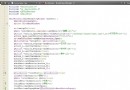
現象:Dialog 使用 XML 佈局(根節點為 ListView),在 onCreateDialog 中嘗試 d.getCurrentFocus().getRootView() 獲取 ListView 設置 Adapter,拋出 NPE。
Dialog 創建後、show() 前,**沒有焦點**,getCurrentFocus() 返回 null。findViewById 獲取(無 ID)。@Override
protected Dialog onCreateDialog(int id) {
if (id == ADDPLAYERDIALOG) {
Dialog dialog = new Dialog(this);
// 關鍵:inflate 佈局,直接獲得根 ListView
ListView listView = (ListView) View.inflate(this, R.layout.training_dialog, null);
dialog.setContentView(listView); // 設置為 Dialog 內容視圖
ListAdapter adapter = new ArrayAdapter<>(
this, android.R.layout.simple_list_item_1, createNamesList());
listView.setAdapter(adapter);
return dialog;
}
return super.onCreateDialog(id);
}
public class NameListDialogFragment extends DialogFragment {
    private DialogNameListBinding binding;

    @NonNull
    @Override
    public Dialog onCreateDialog(Bundle savedInstanceState) {
        binding = DialogNameListBinding.inflate(getLayoutInflater());
        binding.listView.setAdapter(new ArrayAdapter<>(
            requireContext(), android.R.layout.simple_list_item_1, createNamesList()));
        return new AlertDialog.Builder(requireContext())
            .setView(binding.getRoot())
            .create();
    }
}
setContentView(View) 而非 layoutRes。getCurrentFocus()/findViewById()。掌握 View.inflate 模式,優雅解決 Dialog 根視圖獲取難題。