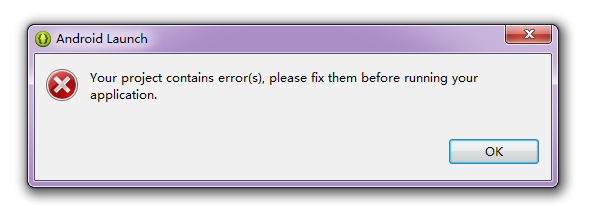
使用自定義 GsonRequest extends Request<T> 發送 POST 請求,服務端收不到參數(params 為空)。
getBodyContentType() 返回 application/json,導致 Volley 走 JSON 請求體邏輯,而非表單編碼邏輯。getBody() 方法:默認實現調用 getParams() 並編碼為 application/x-www-form-urlencoded。若 Content-Type 為 JSON,必須在 getBody() 中手動序列化參數為 JSON 字節數組。Request 類邏輯與新版不同,部分版本不支持直接在 getParams() 返回 Map 實現 JSON POST。JsonObjectRequest request = new JsonObjectRequest(
Request.Method.POST, url, jsonObject,
response -> { /* 成功 */ },
error -> { /* 失敗 */ }
);自動處理 JSON 序列化、Content-Type 設置、響應解析。
@Override
public byte[] getBody() throws AuthFailureError {
    try {
        // 將 mParams 序列化為 JSON 字節數組
        return mGson.toJson(mParams).getBytes(PROTOCOL_CHARSET);
    } catch (Exception e) {
        throw new AuthFailureError(e);
    }
}

// 保留 getBodyContentType() 返回 application/json
// 移除或註釋 getParams(),避免混淆StringRequest request = new StringRequest(Request.Method.POST, url,
response -> { /* 成功 */ },
error -> { /* 失敗 */ }
) {
@Override
protected Map<String, String> getParams() {
return params; // 你的參數 Map
}
};此方式自動編碼為 application/x-www-form-urlencoded,大多數後端框架(Spring MVC、PHP、Node.js)原生支持。
VolleyLog.DEBUG = true;Volley 適合簡單項目,複雜場景下自定義 Request 极易踩坑,拥抱現代網絡庫更明智。