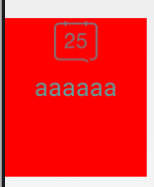
label.MouseDown += (s,e) => label.DoDragDrop(label.Text, DragDropEffects.Copy);panel.AllowDrop = true;panel.DragEnter += (s,e) => { if(e.Data.GetDataPresent(DataFormats.Text)) e.Effect = DragDropEffects.Copy; };panel.DragDrop += (s,e) => { string txt = (string)e.Data.GetData(DataFormats.Text); var lbl = new Label { Text = txt, AutoSize = true }; panel.Controls.Add(lbl); lbl.Location = panel.PointToClient(Cursor.Position); };label.ForeColor = Color.Gray;(在 DragDrop 完成後或 GiveFeedback 中)。
public partial class Form1 : Form {
    public Form1() {
        InitializeComponent();
        SetupDragDrop(label1, panel1);
        SetupDragDrop(label2, panel2);
        // ...
    }
    void SetupDragDrop(Label src, Panel target) {
        src.MouseDown += (s, e) => {
            if (e.Button == MouseButtons.Left)
                src.DoDragDrop(src.Text, DragDropEffects.Copy);
        };
        target.AllowDrop = true;
        target.DragEnter += (s, e) => {
            if (e.Data.GetDataPresent(DataFormats.Text))
                e.Effect = DragDropEffects.Copy;
        };
        target.DragDrop += (s, e) => {
            string txt = (string)e.Data.GetData(DataFormats.Text);
            var newLabel = new Label { Text = txt, AutoSize = true, ForeColor = Color.Black };
            target.Controls.Add(newLabel);
            newLabel.Location = target.PointToClient(Cursor.Position);
            src.ForeColor = Color.Gray; // 置灰
        };
    }
}
詳細教程:C# WinForm 拖拽實現