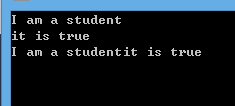
使用 @Aspect 注解定義切面,配置了 <aop:aspectj-autoproxy/> 和組件掃描,但切面方法 before() 從未執行,業務邏輯直接輸出「執行業務邏輯」。
@Aspect
public class SpringAspect {
    @Before("execution(* * com.aop_spring.Business.*(..))")
    public void before() {
        System.out.println("before");
    }
}
Spring 配置:
<context:component-scan base-package="com.*" annotation-config="true"/>
<aop:aspectj-autoproxy/>
<bean id="business" class="com.aop_spring.Business"/>
切面類 SpringAspect 未被 Spring 容器識別為 Bean。
@Aspect 僅標識這是一個切面,不包含 @Component 語義<context:component-scan> 默認掃描 @Component、@Service、@Repository、@Controller,不掃描 @AspectSpringAspect 實例未創建,切面邏輯未註冊@Aspect
@Component // 關鍵:讓組件掃描識別並創建 Bean
public class SpringAspect {
@Before("execution(* com.aop_spring.Business.*(..))")
public void before() {
System.out.println("before");
}
}
<bean class="com.aop_spring.SpringAspect"/>
原表達式 execution(* * com.aop_spring.Business.*(..)) 中間多一個 *(返回類型與類名之間),標準寫法:
@Before("execution(* com.aop_spring.Business.*(..))")
// 或針對接口方法
@Before("execution(* com.aop_spring.IBusiness.*(..))")
beforeSpringAspect 構造函數加日誌確認 Bean 創建logging.level.org.springframework.aop=DEBUG| 誤區 | 正確認知 |
|---|---|
| @Aspect 就能自動生效 | 必須是 Spring Bean(@Component 或 XML 配置) |
| component-scan 會掃描所有註解 | 默認只掃描 stereotype 註解,不含 @Aspect |
| 表達式寫錯不報錯 | Spring 啟動時不驗證切點匹配,運行時才發現不匹配 |
添加 @Component 後重啟,切面即可正常攔截業務方法執行。